Grok AI Can Do More Than Chat: Here’s What You’re Missing
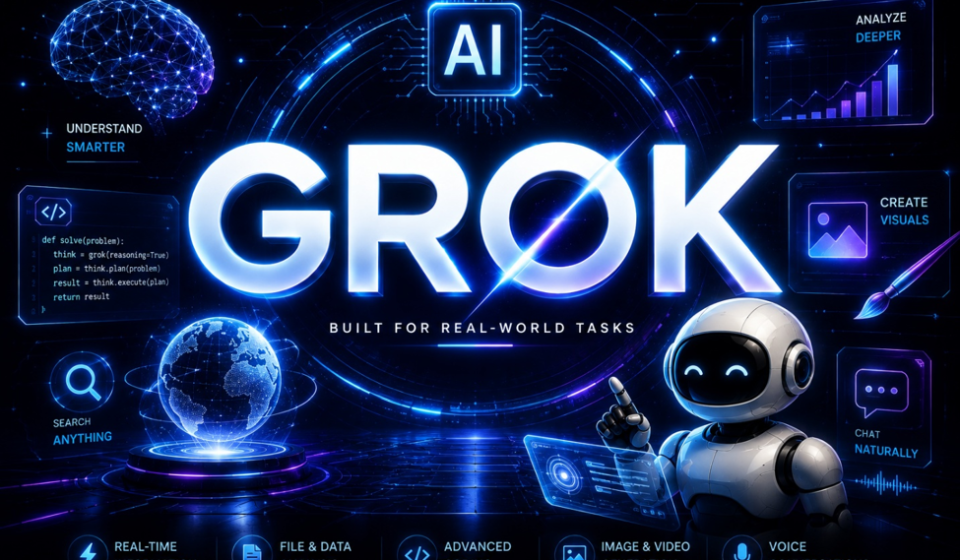
Grok AI is often treated as a chatbot, but that is only one part of the platform. It can search the live web and X, help with coding, analyse information, create images and videos, respond by voice, and support tools that handle multi-step tasks.
In 2026, xAI is expanding Grok into a broader AI platform. Its latest flagship model for developers is Grok 4.7, announced in September with a focus on coding, agentic tasks and knowledge work. It supports a 500,000-token context window and tools such as reasoning and function calling. Model availability can differ between the developer API and consumer subscriptions. (xAI)
What Is Grok AI?
Grok is the AI assistant and model family developed by xAI. Users can access it on the web, through iOS and Android apps, and via X. Developers can use Grok models through the xAI API.
Its key difference is the ability to combine AI responses with tools. Depending on the product and settings, Grok can use web search or X search to retrieve current information rather than relying only on built-in knowledge. It can also turn information into drafts, summaries, code and creative material. (Grok pricing and features)
1. Grok Can Search the Web and X
When you ask about a developing news story, a new product or a discussion on X, Grok can use search tools to retrieve recent information. This can help with research, gathering perspectives and finding sources for an article.
However, AI summaries can be incomplete or wrong. Check important details against original sources, especially for prices, specifications and other information that may change.
2. Grok 4.7 Is Built for Coding and Complex Work
Grok 4.7 is xAI’s flagship model for coding, agentic tasks and knowledge work. Its developer documentation lists a 500,000-token context window, reasoning options, function calling and structured outputs. (Grok 4.7 developer documentation)
A large context window can help with long documents, detailed instructions or sizeable codebases. Grok can assist with writing and debugging code, explaining a project, investigating errors and planning multi-step changes.
Grok 4.7 is available through the xAI API and supported coding environments, including Cursor and Grok Build. API access is intended for developers who want to connect the model with their own products or workflows.
3. Grok Build and AI Agents Can Work Beyond Chat
Grok Build helps users create websites, apps, games and interactive dashboards from natural-language instructions. Users can describe a project and refine the result through follow-up requests, rather than asking only for a code snippet.
xAI has also introduced agent-style tools. Grok Bot is designed to work across supported tools and apps, follow routines and continue tasks beyond a single chat session. Grok also supports scheduled automations that can run tasks at selected times or respond to supported triggers. (Grok Build, Grok automations)
These features can reduce repetitive work, but they still need oversight. Review permissions and outputs before an agent sends messages, changes files or performs other consequential actions.
4. Grok Can Create Images and Videos
Grok is not limited to text. Its Imagine tools support image generation and editing, while Grok Imagine Video 1.5 can create video clips from text prompts, still images and references. xAI says the video model improves motion, physics, audio and speech synchronisation. (Imagine Image 2.0, Imagine Video 1.5)
These tools can help creators develop thumbnail concepts, animate a reference image or make short clips for social media. Controls, generation limits and available resolutions depend on the product and plan.
For professional work, review the output carefully: generated text, logos and product details may be inaccurate. Use authentic references when brand or product accuracy matters.
5. Voice, Connectors and Productivity Tools
Grok supports voice conversations, allowing users to speak rather than type. xAI has also announced integrations with tools such as Google Workspace and Microsoft Office applications, alongside connectors for supported apps and data sources. (Grok in Google Workspace, Grok for Outlook)
Depending on availability and permissions, these features can help summarise documents, brainstorm presentations, draft content and work with information across connected services. Availability can vary by account, region and subscription.
How Much Does Grok AI Cost?
xAI offers free access alongside paid consumer subscriptions. Its current pricing page lists these plans:
| Plan | Listed price | General access |
|---|---|---|
| Free | $0/month | Limited usage, web and X search, voice mode and connectors |
| SuperGrok | $30/month | Higher limits, frontier models, connectors, image and video tools |
| SuperGrok Plus | $100/month | Higher usage, 1080p video creation, priority access and additional capacity |
Features and usage limits can change. Consumer subscriptions and developer API access may offer different model versions, so check the current xAI pricing page before subscribing. Some advanced features, including Build Mode, may require a specific subscription tier.
Grok API Pricing for Developers
The xAI API lists Grok 4.7 at $2 per million input tokens and $6 per million output tokens. Cached input tokens cost $0.50 per million tokens. Requests exceeding the 200,000-token long-context threshold use different rates. (Grok 4.7 pricing)
API billing is separate from consumer subscriptions. The final cost depends on usage and the applicable context pricing.
Who Should Consider Using Grok?
Grok may be useful for people who want several AI capabilities in one place. Researchers can use search and summarisation, developers can explore coding and tool integrations, and creators can try image and video generation. Voice and connectors can also help people working across supported apps.
Not everyone needs a paid plan. Occasional users may find free access sufficient, while frequent users can compare subscription limits with their workload. Developers should test API performance and estimate token use before building a larger integration.
Grok AI: Final Takeaway
Grok can do much more than answer questions in a chat window. Its broader ecosystem includes real-time web and X search, coding with Grok 4.7, app creation through Grok Build, agent-style workflows, image and video generation, voice conversations and integrations with supported tools.
The key benefit is connecting the right capability to a real task—whether that means researching an article, debugging software, creating a visual concept or organising information.
Grok’s free tier offers a way to explore the service, while paid subscriptions and API access provide different levels of features and usage. As models and limits evolve, check the current xAI documentation and pricing before choosing a plan.
FAQs
- What is Grok AI used for?
Grok can help with research, writing, coding, summarising information, image and video generation, voice conversations and selected tool-based workflows.
- Is Grok AI free?
Yes. xAI lists a free plan with usage limits. Paid plans provide higher limits and additional features.
- What is Grok 4.7?
Grok 4.7 is xAI’s flagship developer model for coding, agentic tasks and knowledge work. Its API documentation lists a 500,000-token context window.
- Can Grok create images and videos?
Yes. Grok Imagine supports image generation and editing, while Imagine Video 1.5 supports video generation from text and visual references.
- How much does Grok API cost?
Grok 4.7 API pricing is $2 per million input tokens and $6 per million output tokens. Cached input is $0.50 per million tokens, and longer-context requests can cost more.
Recommendation
- Claude Opus 5.5 Launches With Lower Costs and Fable-Level Performance
- GPT-6 Sol and Luna Launch With 50% Lower API Prices
- Meta Connect 2026: Muse AI Is Coming to Smart Glasses