Nothing OS 5.0 Update: New Features and Eligible Phones
Nothing OS 5.0 Update: New Features, Android 17, AI Tools and Eligible Phones
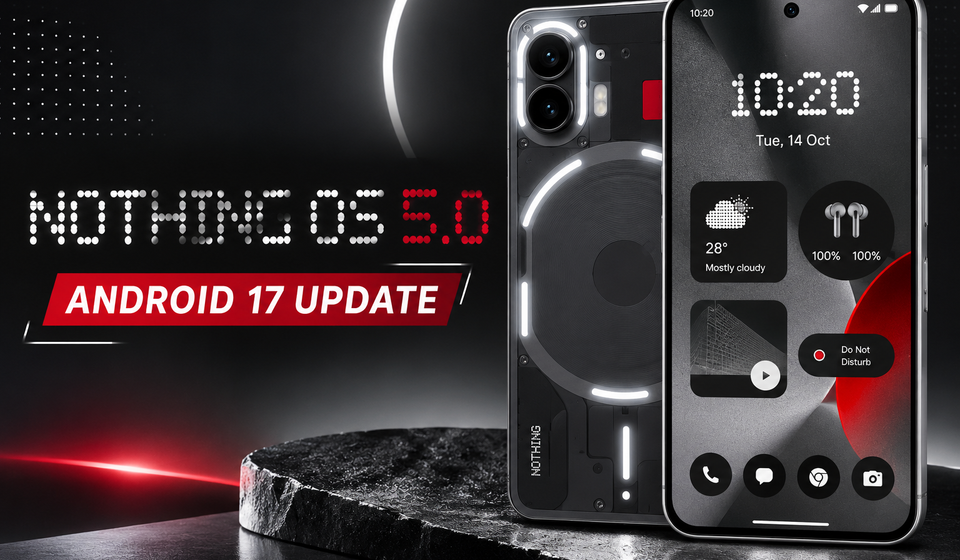
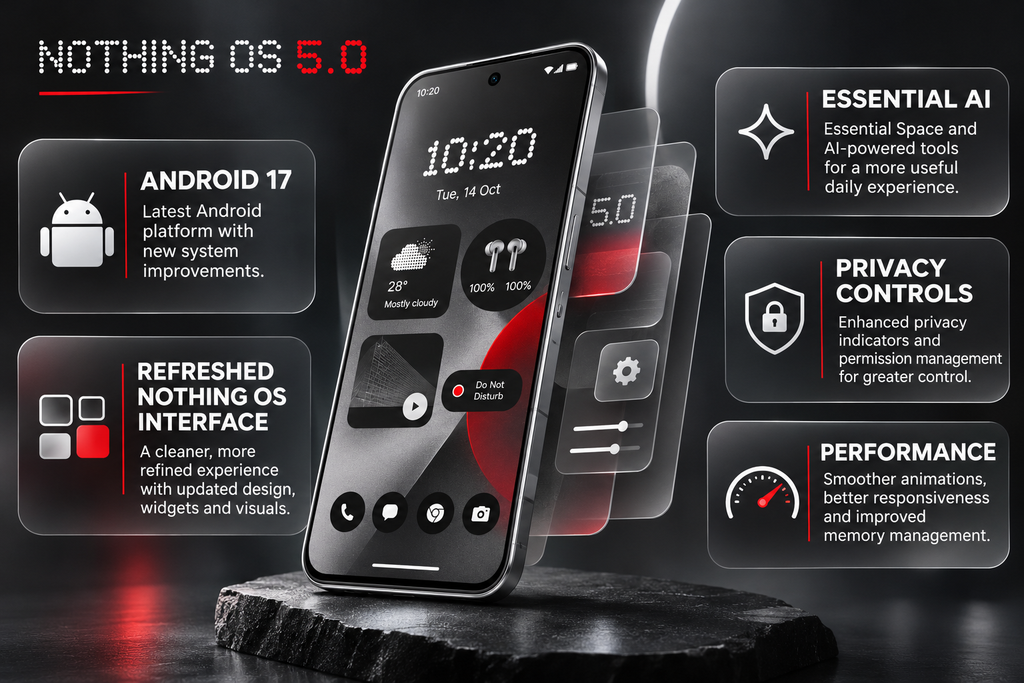
Nothing has officially introduced Nothing OS 5.0, its latest major software update based on Android 17. The update brings a refreshed interface, deeper home-screen personalisation, improved performance, new AI-powered tools and additional privacy controls.
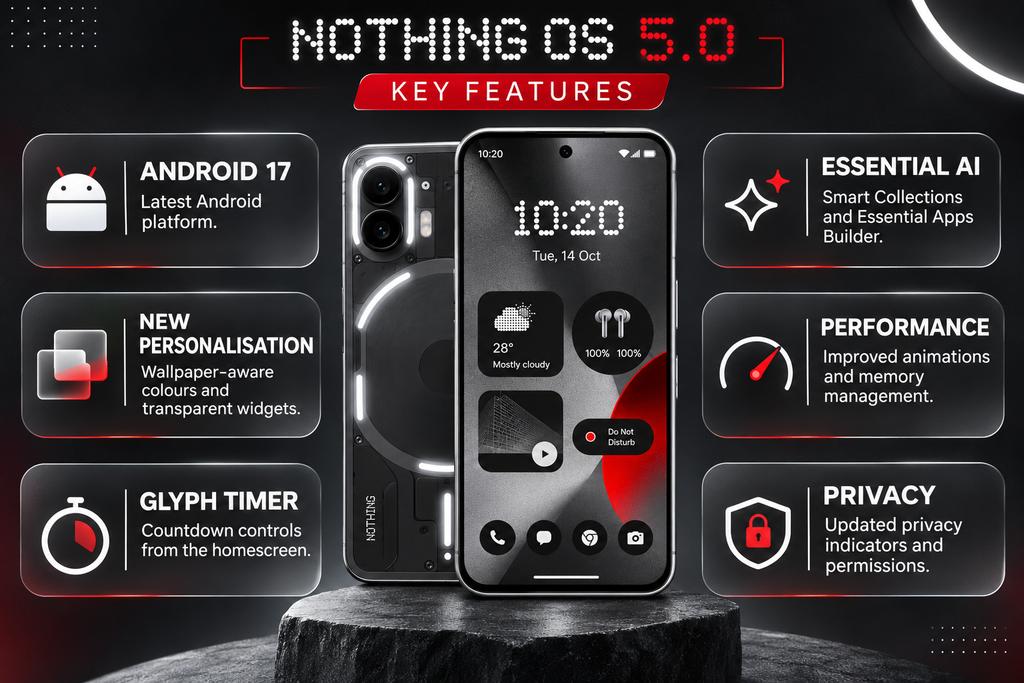
One of the biggest changes is the redesigned user experience. Nothing OS 5.0 introduces a new Geist typeface, updated system icons, transparent-style widgets, new lock-screen clock designs and improved animations. It also adds practical features such as Glyph Timer, Smart Collections, Essential Apps Builder and separate Notification and Quick Settings panels.
The general release started with the Nothing Phone (3) on October 12, 2026. Other supported smartphones are scheduled to receive the update in phases, with availability varying by model and region.
Nothing OS 5.0: What’s New?
Nothing OS 5.0 focuses on three major areas: personalisation, smarter AI features and smoother everyday performance. Instead of completely changing the operating system, Nothing has refined several parts of the existing interface while introducing new tools.
Here are the major changes coming with the update:
- Refreshed interface with the Geist typeface.
- New home-screen personalisation options.
- Updated lock-screen clock designs.
- Dedicated Glyph app and Glyph Timer widget.
- Smart Collections in Essential Space.
- Improved Essential Voice.
- Essential Apps Builder.
- Faster app launches and smoother animations.
- Separate Notification and Quick Settings panels.
- Enhanced Quick Share and privacy controls.
These improvements are designed to make Nothing smartphones more personal, responsive and useful in everyday situations.
1. Refreshed Interface With a New Geist Typeface
One of the first changes users will notice in Nothing OS 5.0 is the updated interface.
Nothing has introduced the Geist typeface across the system, along with redesigned icons, refined layouts and improved spacing. These changes affect several commonly used areas, including Settings, Camera, Gallery and the Status Bar.
The updated typography is designed to improve readability while maintaining Nothing’s distinctive visual identity.
The Status Bar also receives redesigned indicators and smoother animations. Network, Wi-Fi and battery icons have been refined to provide clearer visual feedback when their status changes.
The Camera application gets updated icons and cleaner controls. QR code scanning has also been improved: once a code is recognised, its result stays in a fixed position, making it easier to tap without repeatedly adjusting the camera.
Nothing Gallery receives better sorting and filtering options. Users can organise photographs by recently added or capture date and filter content by favourites, edited images, photos, videos and screenshots.
These changes may look small individually, but together they create a more consistent interface across the operating system.
2. More Home-Screen and Lock-Screen Personalisation
Personalisation is another major part of Nothing OS 5.0.
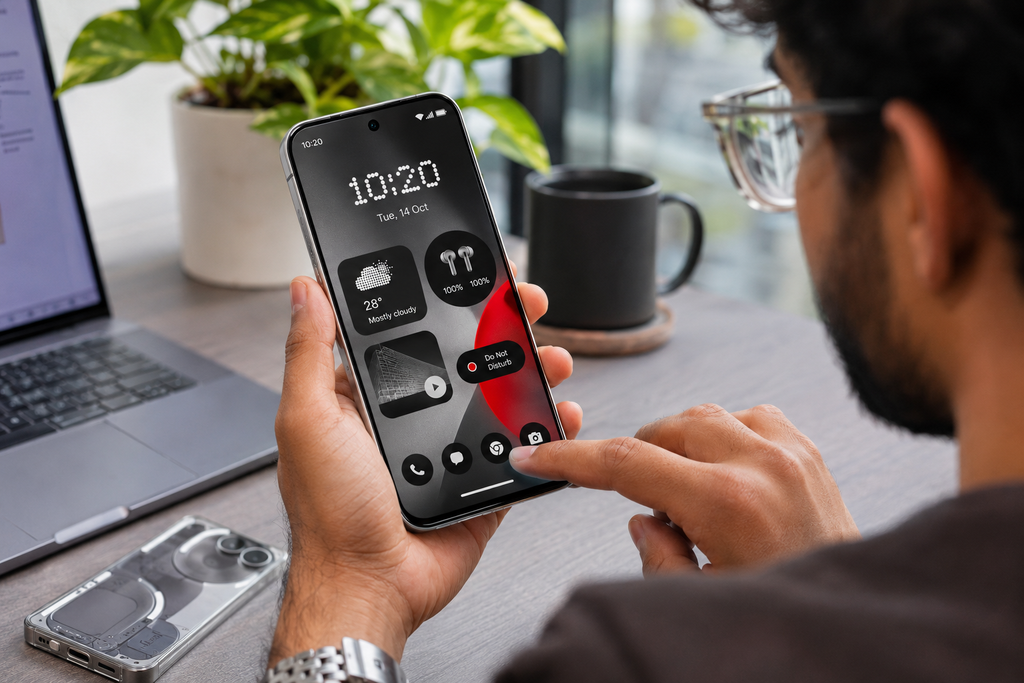
The updated home screen supports wallpaper-aware colours, tinted application icons and transparent-style widgets. This allows users to create a more consistent appearance between their wallpapers, widgets and application icons.
Nothing has also introduced new lock-screen clock designs.
The two highlighted styles are:
- Gooey: A bold, playful clock design with a more expressive appearance.
- Micrographics: A cleaner, information-focused design inspired by hardware displays.
Users also get additional colour options to customise the lock screen.
Another useful addition is home-screen batch editing. Instead of moving application icons and widgets individually, users can select multiple items and move them together, including between different home-screen pages.
This should make organising a large home screen considerably easier.
Some of these visual changes are part of the general release rather than the initial Open Beta.
3. New Glyph App and Glyph Timer
Nothing’s Glyph Interface is one of the company’s most recognisable smartphone features. With Nothing OS 5.0, the company is making it easier to manage through a dedicated Glyph app.
Previously, Glyph settings and customisation options were spread across different areas of the system. The new application brings supported Glyph features, sounds, ringtones and schedules together in one place.
The update also introduces a Glyph Timer widget.
Users can start a countdown directly from the home screen. Once activated, the rear Glyph lighting visually displays the remaining time, allowing users to check a countdown without repeatedly turning on the phone’s display.
This could be useful while cooking, studying, working or completing other activities where checking the phone frequently is inconvenient.
However, Glyph features depend on the smartphone’s hardware. Not every Nothing device has the same Glyph lighting capabilities, so availability will vary by model.
4. Away Time and Collector Widgets
Nothing OS 5.0 introduces two interesting widgets designed to make the home screen more useful.
Away Time tracks how long users stay away from their phones. It records their longest breaks and provides a weekly view of how often they put their devices down.
The feature is designed to help users understand their phone habits rather than block applications or enforce screen-time limits. It offers a simple way to observe how much time they spend away from the screen.
Collector offers a more creative way to organise favourite photographs.
Users can take a picture or select an existing image from Gallery and turn it into a sticker-like visual collection on their home screen or lock screen. Collections can include items such as sneakers, coffee, pets, gadgets or places.
These widgets add more personality to the Nothing interface while giving users additional ways to interact with their saved content.
5. Improved Essential Space With Smart Collections
Essential Space is Nothing’s built-in tool for capturing and organising information. Nothing OS 5.0 introduces Smart Collections to make this experience more organised.
Smart Collections can automatically identify related captures and suggest grouping them together. For example, users who save several screenshots, notes or other information related to a particular project may receive suggestions to organise them into one collection.
The update also improves search and the capture experience, making saved information easier to find.
Another important addition is Model Context Protocol (MCP) support. It allows compatible AI tools to access selected information from Essential Space.
For the initial release, this access is read-only. Compatible tools can search and read selected information, but cannot modify the user’s saved Essential Space content.
Essential Space improvements are being delivered separately through Google Play, so some features may arrive independently of the main operating system update.
6. Essential Voice Gets Better AI Features
Nothing OS 5.0 also improves Essential Voice, the company’s voice-to-text and note-taking experience.
One of the main improvements is real-time transcription. Instead of waiting until recording is complete, users can see text appear as they speak.
The system also improves formatting, helping organise spoken information into clearer paragraphs, lists and summaries. This can be useful for capturing meeting notes, reminders and everyday ideas.
Nothing has also highlighted audio recording improvements with its Ear (3) earbuds. Users can capture audio through the Super Mic feature on the Ear (3) case, providing another way to record information.
Real-time translation in Essential Voice is planned as a later feature and should not be confused with a feature already available to every Nothing OS 5.0 user.
7. Build Your Own Apps With Essential Apps Builder
One of the more experimental additions is Essential Apps Builder.
It allows users to create simple tools and applications directly from their Nothing smartphones using natural-language instructions. Instead of writing code, users describe what they want, preview the result, make changes and add the finished tool to their home screen.
For example, users could describe a simple personal tracker, a custom information widget or a small tool for organising a regular task.
The idea is to make basic app creation accessible to people without programming knowledge.
However, Essential Apps Builder remains in an early beta stage, with access being expanded gradually. Not every Nothing OS 5.0 user will necessarily have access immediately.
8. Faster Performance and Smoother Animations
Nothing says OS 5.0 improves everyday performance, including application launches, scrolling, touch response and multitasking.
The update also brings improvements to memory management. Its aim is to reduce unnecessary application reloads and keep frequently used applications ready in the background.
Animations have also been refined to respond more naturally to user gestures. For example, when users reverse an interaction before an animation finishes, the animation can follow the movement instead of completing the original action first.
Bluetooth controls have also been redesigned in Quick Settings. Users can find nearby devices more easily and connect or disconnect supported accessories with fewer steps.
These are everyday improvements rather than headline-grabbing features, but they could make the overall experience feel more responsive.
9. Android 17 Features and Privacy Improvements
Nothing OS 5.0 is based on Android 17, bringing several Android platform improvements into Nothing’s software experience.
Some of the key additions include:
Separate Notifications and Quick Settings: Users can choose to keep Notifications and Quick Settings in separate panels. With split mode enabled, swiping down from the left opens Notifications, while swiping down from the right opens Quick Settings.
Improved Quick Share: Users can generate a QR code for sharing files. People using supported Android devices or an iPhone can scan the code and access a secure web link to download the shared files.
Expanded Dark Theme: The expanded option can apply a darker appearance to more applications, including apps that do not provide their own complete dark mode. Users can control this behaviour through the display settings.
Improved privacy controls: Updated privacy indicators and permission controls make it easier to understand when applications access the camera, microphone or location.
Enhanced screen recording: The redesigned floating recording controls make it easier to manage screen recordings while using other applications.
Additional system improvements: The update also includes Noto 3D emoji, an updated Recents screen, independent Assistant volume control and enhanced HDR brightness options.
These features bring more control over notifications, sharing, privacy and display behaviour.
10. Nothing OS 5.0 Eligible Devices and Rollout Timeline
Nothing is releasing OS 5.0 in phases rather than making it available to every supported smartphone at the same time.
According to Nothing’s official rollout roadmap, the general release started with Phone (3) on October 12, 2026. The remaining devices have separate rollout windows.
| Nothing smartphone | General release schedule |
|---|---|
| Nothing Phone (3) | From October 12, 2026 |
| Nothing Phone (4a) Pro | Early November 2026 |
| Nothing Phone (4a) | Early November 2026 |
| Nothing Phone (3a) Pro | Early November 2026 |
| Nothing Phone (3a) | Early November 2026 |
| Nothing Phone (2a) | Mid-November 2026 |
| Nothing Phone (2a) Plus | Mid-November 2026 |
| Nothing Phone (3a) Lite | Late December 2026 |
| Nothing Phone (4b) | Mid-January 2027 |
| CMF Phone 2 Pro | Mid-January 2027 |
These are indicative rollout windows published by Nothing, not guaranteed update dates for every region or device. Rollout timing may change.
According to Nothing’s official OS 5.0 update page, the following devices have reached the end of major software support and will not receive this update:
- Nothing Phone (1)
- Nothing Phone (2)
- CMF Phone 1
Owners of these models should not expect the Nothing OS 5.0 upgrade. IN
How to Download and Install Nothing OS 5.0
Once the stable update becomes available for your device, you can check for it manually.
Follow these steps:
- Open Settings on your Nothing smartphone.
- Select System.
- Tap System Update.
- Select Check for Updates.
- If Nothing OS 5.0 is available, download and install it.
- Follow the on-screen instructions to complete the update.
Before installing, make sure your phone has sufficient battery and available storage. Back up important files and photographs before updating.
If the update does not appear, it may not have reached your device or region yet. You can check again later.
Should You Install the Open Beta?
Nothing OS 5.0 Open Beta gives eligible users early access to the new features. However, beta software may contain bugs, affect battery life or cause application compatibility problems.
If you use your smartphone as your primary device, waiting for the stable release is generally the safer option. Nothing also provides official instructions for joining and leaving the beta through its Nothing Beta Hub.
Conclusion
Nothing OS 5.0 brings a combination of visual improvements, AI-powered tools, better performance and Android 17 features. The redesigned interface, new widgets, Glyph controls and Essential Space improvements make the update more than a simple visual refresh.
However, not every feature will be available immediately, and the rollout will vary by smartphone model and region. Owners of supported devices should check the official update schedule and wait for the stable version if they prefer a more reliable experience.
Overall, Nothing OS 5.0 is an important software update that makes the Nothing ecosystem more personalised, practical and intelligent.
Frequently Asked Questions
1. What is Nothing OS 5.0?
Nothing OS 5.0 is Nothing’s latest major smartphone software update based on Android 17. It introduces a refreshed interface, AI tools, personalisation features and performance improvements.
2. Is Nothing OS 5.0 based on Android 17?
Yes. Nothing OS 5.0 is based on Android 17.
3. What are the biggest new features in Nothing OS 5.0?
Major features include Smart Collections, Essential Apps Builder, Glyph Timer, Away Time, Collector widgets, improved Essential Voice and separate Notification and Quick Settings panels.
4. Which phones will receive Nothing OS 5.0?
Eligible devices include Nothing Phone (3), Phone (4a) Pro, Phone (4a), Phone (3a) Pro, Phone (3a), Phone (2a), Phone (2a) Plus, Phone (3a) Lite, Phone (4b) and CMF Phone 2 Pro.
5. Will Nothing Phone (1) receive Nothing OS 5.0?
No. Nothing has confirmed that Phone (1) has reached the end of major software support and will not receive Nothing OS 5.0.
6. Will Nothing Phone (2) receive Nothing OS 5.0?
No. Phone (2) is also excluded from the major OS 5.0 upgrade.
7. When did the Nothing OS 5.0 stable rollout begin?
The general release started with Nothing Phone (3) on October 12, 2026. Other supported devices have separate rollout schedules.
8. How can I download Nothing OS 5.0?
Go to Settings, select System, open System Update and check for available updates. Install the update when it becomes available for your device.
Suggestions :
WhatsApp Group Chat Features: 4 Exciting New Updates
Jio Voice-Only Plans: Best Recharge Options Starting at ₹147
iOS 27.2 Update: Exciting New Features, Changes & Fixes
Source :
Nothing OS 5.0 Official Update Page
Nothing Community – Complete Feature Explanation
Nothing OS Official Release Roadmap