
iOS 27.2 Update: Exciting Siri AI Upgrades and Useful New iPhone Features
Apple has released iOS 27.2 Update, bringing improvements to Siri AI, new context-based suggestions in Messages, and additional bug fixes and security updates. The update is available for supported iPhones, including the iPhone 11 and newer models, although some features require newer hardware.
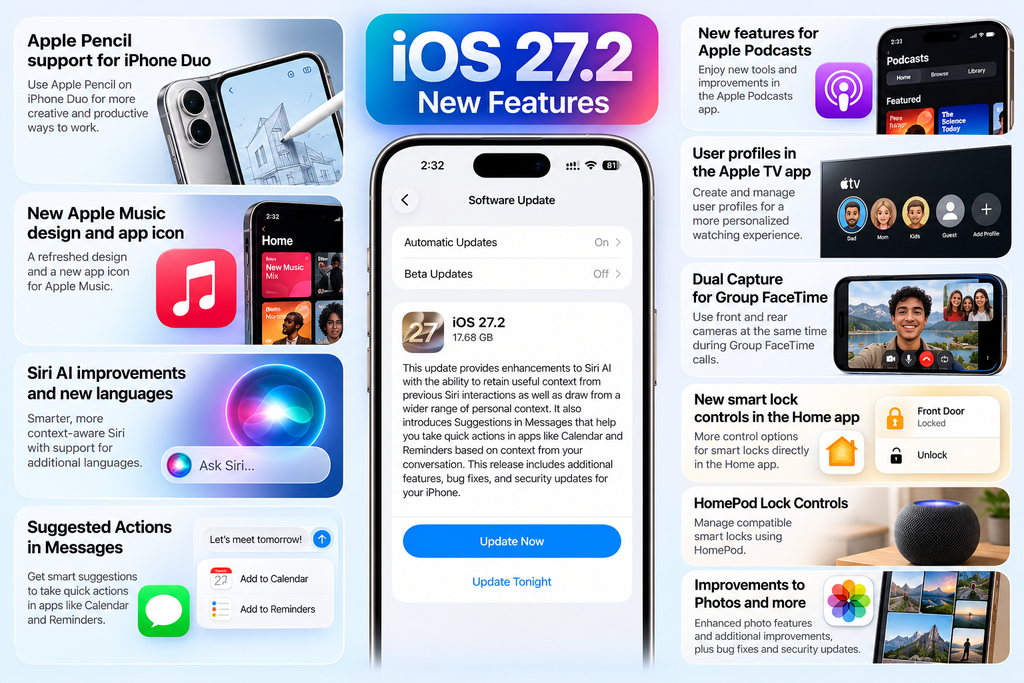
The most interesting change is that Siri AI can now remember useful context from previous conversations and draw on more personal information when answering questions. Messages also gains Suggestions that can help users take actions in apps such as Calendar and Reminders based on their conversations.
iOS 27.2 Update: Key Highlights
- Siri AI improvements: Siri can recall useful context from previous interactions.
- More personal context: Supported Siri features can draw on information from apps such as Messages, Calendar and Photos.
- Messages Suggestions: Context-based suggestions can help users take actions in Calendar and Reminders.
- More Siri languages: French, Japanese, Korean, Portuguese and Spanish are supported for Siri AI, subject to regional availability.
- Privacy controls: Excluded Apps lets users choose which apps Siri, Search and suggestions can access.
- Bug fixes and security updates: Apple says the release includes additional improvements.
- Release date: October 26, 2026.
- Compatibility: iPhone 11 and newer models can install the update, but not every feature works on every supported iPhone.
1. Siri AI Gets More Useful
The biggest change in iOS 27.2 Update is the improvement to Siri AI. Instead of treating every question as a completely separate interaction, supported Siri features can recall useful information from earlier conversations.
For example, you could ask Siri to remind you about a restaurant it recommended previously. Siri can also use additional context from supported sources, including photos attached to Messages, Calendar event attendees, voicemails, Safari history and Reading List.
Apple has also added an Excluded Apps control, making it easier to choose which apps Siri, Search and suggestions can access. Another small but practical improvement lets you select and copy only part of a Siri response rather than copying the entire answer.
These changes could make Siri more useful for everyday tasks, particularly for people who use Apple’s built-in apps regularly. However, Siri AI features are not available on every iPhone. Apple’s compatibility information lists iPhone 15 Pro and iPhone 15 Pro Max, along with iPhone 16 models and later, for the supported Siri AI experience. Language and regional restrictions also apply.
2. Messages Suggestions Can Save Time
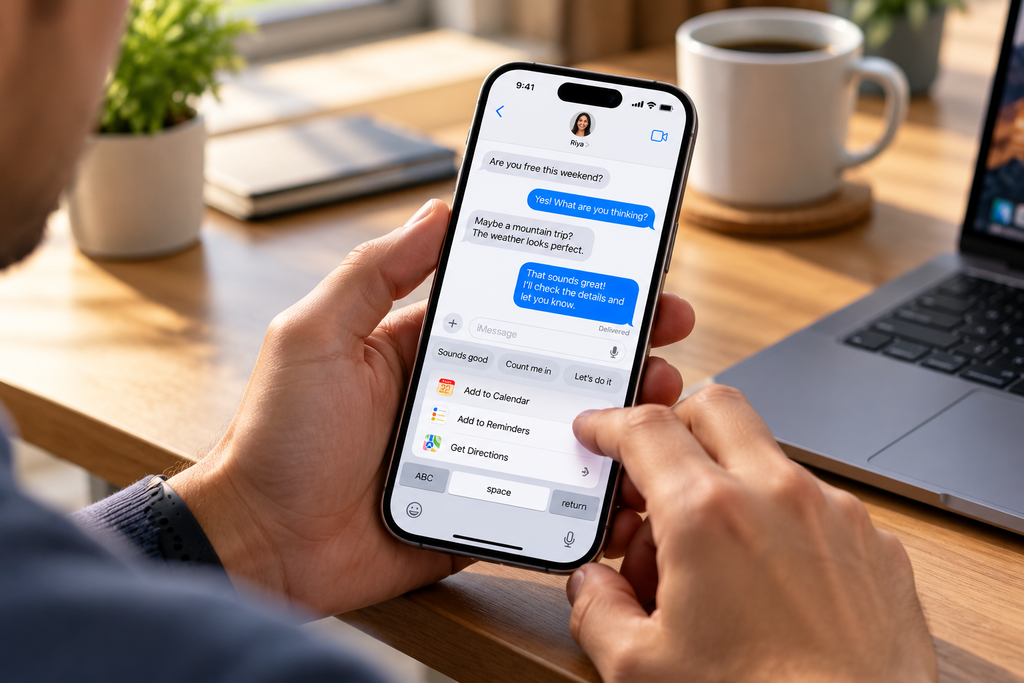
Messages gains a feature called Suggestions, which can show relevant action buttons based on the context of a conversation.
Imagine a friend messages you about dinner on Friday. Your iPhone may suggest adding the event to Calendar. If someone asks you to create a reminder, Messages may offer a shortcut to Reminders or Notes. The feature can also help users find relevant photos when somebody asks them to share pictures.
The advantage is convenience: instead of opening another app and entering the details manually, you may be able to complete the action directly from the conversation.
Suggestions are optional and can be adjusted through the Messages settings. Their appearance depends on the conversation and supported features, so users should not expect a suggestion under every message.
3. More Siri AI Languages—But Availability Varies
iOS 27.2 expands Siri AI language support to French, Japanese, Korean, Portuguese and Spanish. This is useful for people who prefer interacting with Siri in one of these languages.
However, language support is not the same as universal availability. Apple states that Siri AI is not available in the European Union or mainland China, and individual features can have additional device or language requirements.
Indian users should check Apple’s current language and regional availability information before updating specifically for Siri AI. Do not assume that every new Siri capability is available in every language, including Indian languages.
4. Apple Music, Photos and Other App Changes
iOS 27.2 Update includes several smaller changes beyond Siri and Messages.
- Apple Music: The app receives a revised black-and-white icon and related visual changes.
- Photos: Shared Albums gain options for editing captions and comments. Apple also adds duplicate-photo handling and reminders before albums expire.
- Podcasts: The Home tab separates New Episodes from Continue Playing.
- Apple TV: Users can create profiles on iPhone and iPad, including child profiles with content-rating controls.
- Phone: Call Context can remind users of a contact’s anniversary when the date is saved in Contacts.
- FaceTime: Dual Capture is available in supported group calls, allowing compatible devices to use front and rear camera video together.
These features are not equally important to everyone. People who regularly use Messages, Calendar and Siri may notice the update more than users who mainly use third-party apps.
5. New Features for iPhone Duo Users
iOS 27.2 Update also includes features designed for Apple’s foldable iPhone Duo.
Apple Pencil (USB-C) support is one of the additions, while Edge Light can illuminate a user’s face during video calls. The update also adds an automation trigger for when the iPhone Duo is opened or closed, allowing supported Shortcuts workflows to respond to the device’s foldable state.
These features are specific to the foldable device and should not be presented as benefits available on every iPhone. For owners of standard iPhone models, Siri, Messages, app changes and security updates are more relevant.
6. Security Updates: Another Reason to Install iOS 27.2 Update
Alongside the visible features, iOS 27.2 includes security fixes. MacRumors reports that the update addresses more than 160 security vulnerabilities.
Security fixes are important because they can help protect a device from vulnerabilities affecting its software. Users do not need to be interested in AI or app changes to benefit from keeping their iPhones updated.
Apple advises users to install current software updates to receive available security protections. Before updating, back up important data and ensure the iPhone has enough battery power and free storage.
7. Which iPhones Support iOS 27.2 Update?
Apple lists iOS 27.2 for iPhone 11 and later, including the iPhone Duo. However, compatibility with the operating-system update does not mean every new feature works on every model.
| iPhone group | What to expect |
|---|---|
| iPhone 11 and newer | Eligible to install iOS 27.2 |
| iPhone 15 Pro and 15 Pro Max | Supports the listed Siri AI experience |
| iPhone 16 and newer supported models | Supports the listed Siri AI experience |
| iPhone Duo | Receives foldable-specific features, including Apple Pencil support and open/close automations |
Feature availability can vary by device, language and region. Check the update notes and Apple compatibility details for your exact model before assuming that a specific feature will appear.
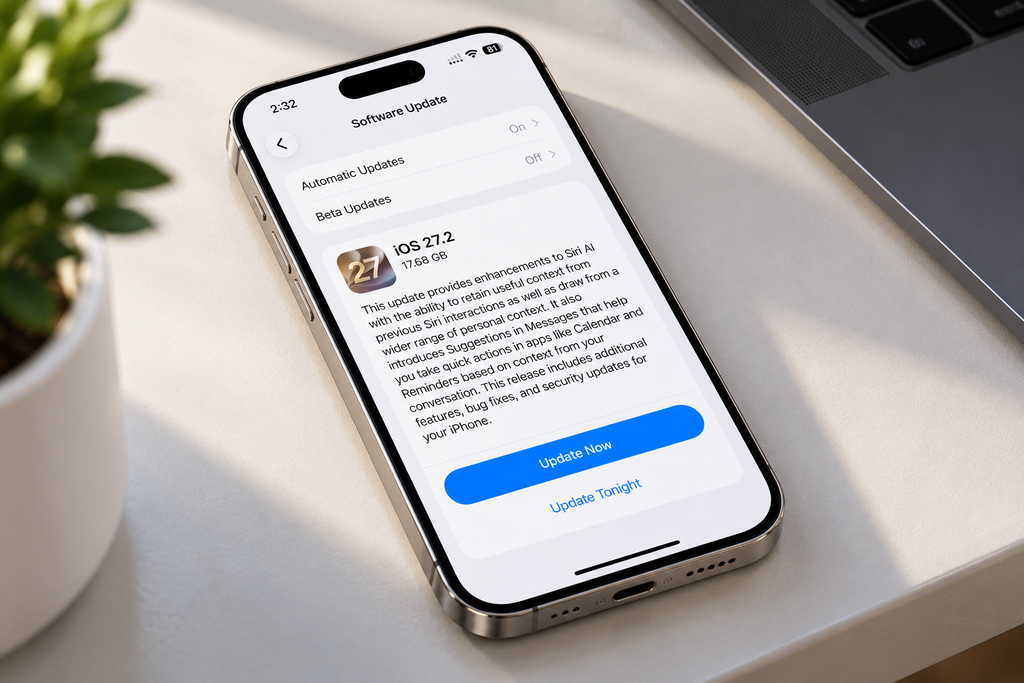
8. How to Download and Install iOS 27.2 Update
If your iPhone is compatible, follow these steps:
- Open Settings on your iPhone.
- Tap General.
- Select Software Update.
- Wait while your iPhone checks for available updates.
- If iOS 27.2 Update appears, tap Update Now or Download and Install, then follow the on-screen instructions.
Before installing, connect to Wi-Fi, back up important information and make sure your battery is sufficiently charged or your phone is connected to power. The update may not appear immediately on every device, so check again later if necessary.
For most compatible iPhone users, installing iOS 27.2 Update is worthwhile, particularly because it includes security fixes alongside new features. People who use Siri and Apple’s built-in apps may also benefit from the more contextual assistance and Messages Suggestions.
Consider these points before updating:
- Install it if you want the latest available security fixes and the new features.
- Check compatibility first if Siri AI is the main reason you are updating.
- Back up your iPhone before installation.
- Allow some time after updating to assess battery life and app behaviour; temporary background activity can affect battery usage immediately after a major update.
If you rely on your iPhone for critical work, you may prefer to check for any model-specific issues before installing. But avoiding security updates indefinitely is not a good long-term strategy.
Conclusion
The iOS 27.2 update brings useful improvements to Siri AI, Messages and several built-in Apple apps, alongside security fixes. Siri’s ability to recall useful context and the return of Messages Suggestions are the most noticeable changes for everyday users.
The update is available for iPhone 11 and newer models, but advanced Siri AI features and foldable-specific additions have narrower compatibility requirements. Check your model and language availability before expecting every feature to work.
For most compatible users, iOS 27.2 is a worthwhile update. Its security improvements alone make it worth considering, while the new features offer additional value for people who use Apple’s ecosystem regularly.
Frequently Asked Questions
1. Has Apple released iOS 27.2 Update?
Yes. Apple released iOS 27.2 on October 26, 2026.
2. What are the biggest new features in iOS 27.2 Update?
The main highlights are improved Siri AI context, Messages Suggestions, expanded Siri AI language support, app improvements and security fixes.
3. Which iPhones can install iOS 27.2 Update?
Apple lists iPhone 11 and later as compatible. Some features require newer models.
4. Does iOS 27.2 Update improve Siri?
Yes. Supported Siri AI features can recall previous conversations, use additional personal context and offer more flexible controls over app access.
5. Is iOS 27.2 safe to install?
It is Apple’s public software release and includes security fixes. Back up your data and make sure your apps and device are ready before installing.
6. Does iOS 27.2 include the redesigned Health app?
No. The redesigned Health app was tested during the beta cycle but was not included in the public iOS 27.2 release.
7. How do I update my iPhone to iOS 27.2?
Go to Settings → General → Software Update. If the update is available for your device, follow the on-screen instructions to download and install it.
Suggestions :
Apple MacBook Pro M6: Exciting Upgrades, Price & Specs
iPhone Duo vs Samsung Galaxy Z Fold 8: Best Foldable Phone?
iPad mini 2026: Stunning OLED Upgrade and Powerful A20 Pro Chip Revealed
Source :
Apple Support — About iOS 27 Updates
Apple Support — Security Releases
Apple Developer — iOS 27.2 beta announcement