
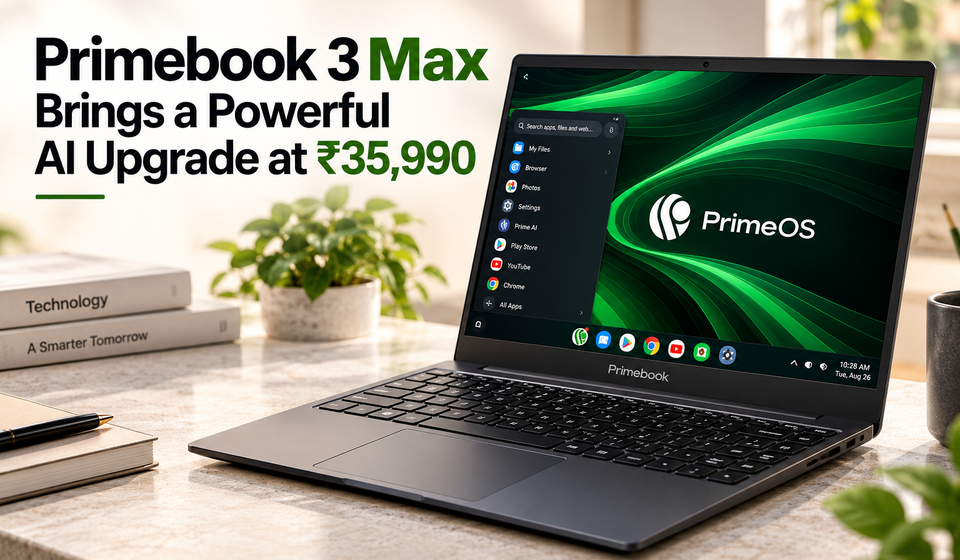
Primebook 3 Max
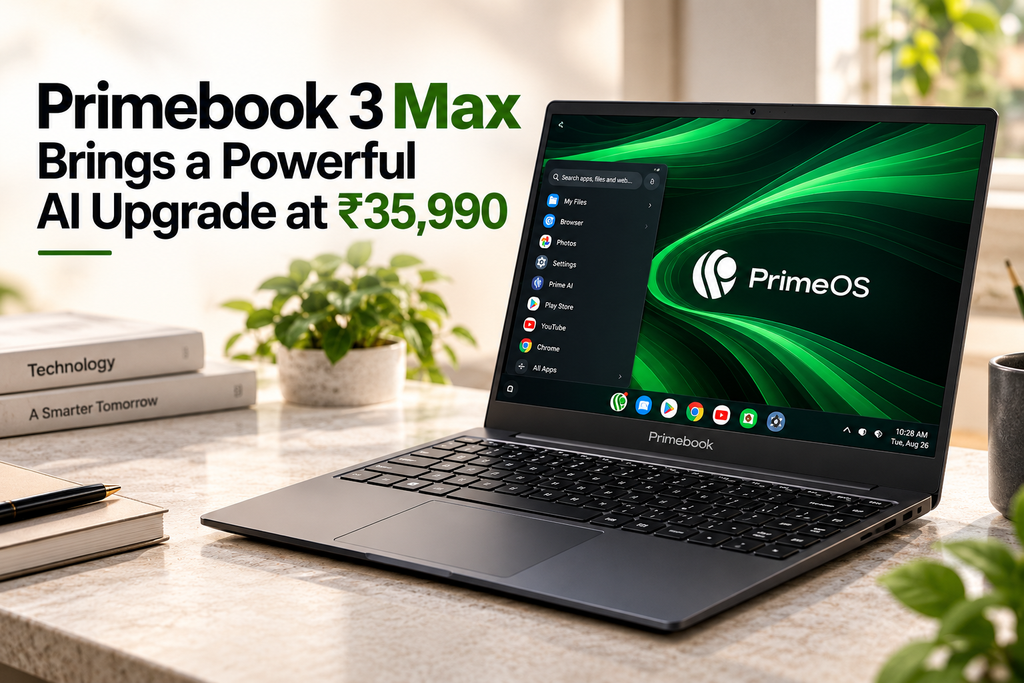
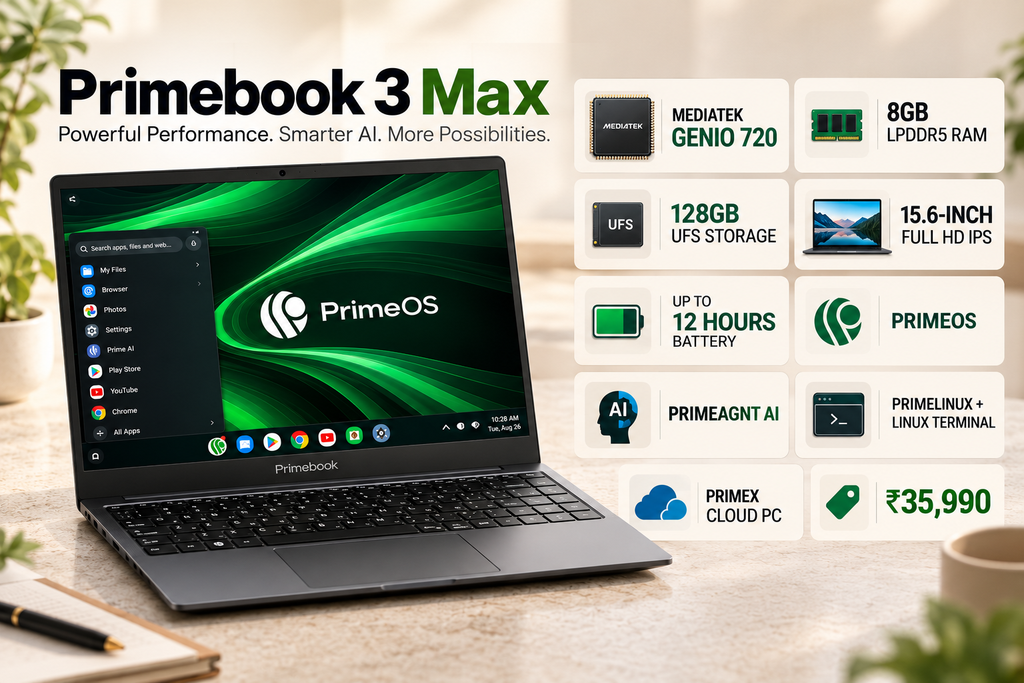
Primebook has launched the Primebook 3 Max in India as the first laptop in its third-generation lineup, bringing a significant hardware and software upgrade over the company’s previous models. Priced at ₹35,990, the new laptop combines a MediaTek Genio 720 processor with 8GB LPDDR5 RAM, 128GB UFS storage and a 15.6-inch Full HD IPS display.
However, the biggest story around the Primebook 3 Max is not simply the processor. Primebook is trying to make its Android-based laptop platform much more capable by expanding PrimeOS with its own productivity suite, Linux application support, AI tools and cloud-based desktop environments. The result is a laptop that is positioned differently from conventional Windows notebooks in the same price range.
The company has added PrimeOffice, PrimeLinux, PrimeAGNT and PrimeX Cloud PC to the new generation. Together, these features are designed to make the Primebook 3 Max useful for students, developers, professionals and everyday users who may not need a traditional Windows laptop for every task.
Primebook 3 Max Price and Availability
The Primebook 3 Max is priced at ₹35,990 in India for the configuration with 8GB RAM and 128GB UFS storage. It is available through Primebook’s own online store as well as major e-commerce platforms including Amazon and Flipkart.
During the current festive sales, buyers may also find the laptop at an effective price below the official ₹35,990 listing after applicable bank discounts and promotional offers. Recent launch coverage has reported effective prices in the region of ₹33,490 to ₹33,990 during these promotions, although the final price depends on the offer available at the time of purchase.
Primebook is also expanding offline availability through selected retail partners. The company says the laptop is manufactured and assembled in India in partnership with Zetwerk.
At ₹35,990, the Primebook 3 Max enters a competitive part of the laptop market. But instead of competing purely on Windows compatibility or raw specifications, Primebook is trying to differentiate its laptop through its software ecosystem.
MediaTek Genio 720 Powers the Primebook 3 Max
The biggest hardware upgrade is the MediaTek Genio 720 processor.
The chipset uses an octa-core architecture with two Arm Cortex-A78 performance cores running at up to 2.6GHz and six Cortex-A55 efficiency cores running at up to 2.0GHz. Graphics processing is handled by a Mali-G57 MC2 GPU.
The Genio 720 also includes an integrated NPU, which gives the laptop dedicated hardware for supported AI workloads. MediaTek’s platform is designed for edge and connected computing applications, including tasks such as speech recognition and supported on-device AI workloads.
Primebook claims that the new hardware configuration can deliver up to 40% higher performance compared with the previous generation. This is a manufacturer comparison rather than an independent benchmark, so real-world performance will depend on the application and workload.
For everyday tasks, the processor should be more than adequate for web browsing, document editing, video streaming, Android applications, online classes and general productivity. The more interesting question is how well the combination of the Genio 720 and PrimeOS handles workloads that traditionally require a Windows laptop.
8GB LPDDR5 RAM and Expandable Storage
The laptop comes with 8GB of LPDDR5 RAM, which represents another hardware upgrade compared with the LPDDR4X memory used in the previous generation.
LPDDR5 gives the system a faster and more modern memory platform while also being designed for power efficiency. That matters on an ARM-based laptop because memory efficiency can contribute to both responsiveness and battery life.
Storage is provided by 128GB UFS, rather than a conventional laptop SSD. Primebook also supports storage expansion of up to 1TB, according to recent launch specifications.
The expandable storage can be particularly useful for students and users who keep large collections of documents, downloaded videos, photos or Android applications on their laptop.
Still, buyers should understand that UFS storage and a conventional NVMe SSD are different technologies. Users expecting the storage performance of a mainstream Windows laptop with a high-speed SSD should keep this distinction in mind.
15.6-Inch Full HD IPS Display
The Primebook 3 Max features a 15.6-inch Full HD IPS display with a resolution of 1920 × 1080 pixels.
The larger screen is designed around productivity rather than portability alone. A 15.6-inch panel gives users more room for documents, browser windows, spreadsheets, online classes and multitasking compared with smaller 11- or 13-inch laptops.
The display also has an anti-glare finish, which can be useful when working in environments with overhead lighting or near windows. Recent specifications list brightness of up to 250 nits.
The screen isn’t positioned as a high-end creator display. Instead, Primebook appears to be targeting everyday productivity, entertainment and education. Full HD resolution should provide sufficient sharpness for normal laptop tasks, while the matte finish should make extended reading more comfortable in many environments.
PrimeOS Is the Biggest Difference
The most important part of the Primebook 3 Max may actually be PrimeOS.
PrimeOS is Primebook’s Android-based operating system designed specifically for laptop hardware. Rather than simply putting a mobile Android interface on a large screen, the company has been building a desktop-oriented experience around it.
With the third-generation Primebook, the company is expanding that experience significantly.
PrimeOS now includes tools for productivity, Linux applications, device management and AI. That makes the Primebook 3 Max considerably different from a basic Android laptop that primarily relies on mobile applications.
The goal is to give users a desktop-style computing environment while maintaining access to the Android application ecosystem.
PrimeOffice Brings Offline Productivity Tools
One of the most important software additions is PrimeOffice.
PrimeOffice is an offline-first productivity suite consisting of PrimeDocs, PrimeSheets and PrimePresent. These applications are designed for creating and editing documents, spreadsheets and presentations directly on the laptop.
Primebook says PrimeOffice provides more than 90% of the functionality of Microsoft Office, according to its own comparison. That claim should be viewed as a company assessment rather than an independent benchmark, but the broader idea is important: users don’t necessarily need to depend on a browser-based office suite for basic productivity tasks.
For students, this could mean creating assignments, presentations and spreadsheets without maintaining a separate Windows installation. For professionals with relatively straightforward document requirements, the same approach could cover everyday office work.
The suite is also designed to work offline, which is useful for users who frequently work without a stable internet connection.
PrimeLinux Adds Linux Applications
Another major addition is PrimeLinux, which expands the software capabilities beyond Android.
Primebook says PrimeOS provides access to selected Linux applications and a Linux terminal. Supported applications include VS Code, GIMP, LibreOffice, Firefox, Arduino IDE, DBeaver CE, TablePlus and Postman.
This could make the Primebook 3 Max considerably more attractive to students learning programming or users who need development tools.
For example, a student could use VS Code for programming, Firefox for browsing and LibreOffice for documents. Developers can also use the Linux terminal for command-line work and supported development tools.
However, this doesn’t mean that every Linux application will run exactly like it would on a conventional Linux laptop. Primebook specifically talks about selected Linux applications, so compatibility remains dependent on the software supported by the platform.
That distinction is important for advanced users who have a specific Linux workflow in mind.
PrimeAGNT Brings Operator AI
The Primebook 3 Max also introduces PrimeAGNT, which Primebook describes as an Operator AI system.
Instead of functioning only as a chatbot that answers questions, PrimeAGNT is designed to understand a user’s goal and perform supported actions across applications. Primebook describes the system as an AI agent capable of autonomously executing steps required to complete a task.
This approach could eventually make routine laptop tasks easier. Instead of manually navigating through several applications, a user could potentially describe what they want done and let the AI handle supported steps.
The laptop’s Genio 720 processor also includes an NPU for supported AI workloads, giving Primebook a hardware foundation for AI-related features.
Because AI agents can vary significantly in their actual capabilities, users should look at PrimeAGNT as an additional productivity feature rather than assuming it can independently handle every desktop task.
PrimeX Cloud PC Extends What the Laptop Can Do
Primebook also includes PrimeX Cloud PC, which provides access to virtual Windows and Linux environments through the cloud.
This is particularly important because the Primebook 3 Max does not run Windows natively. Instead, cloud computing can provide access to desktop environments and applications that aren’t available directly through PrimeOS.
Primebook specifically highlights access to applications such as Tally Prime through its Cloud PC ecosystem.
This approach can be useful when a user occasionally needs software that doesn’t have an Android or supported Linux version. Instead of replacing the entire laptop, the user can access a virtual desktop through the internet.
The obvious limitation is connectivity. Cloud PC performance depends heavily on the quality and stability of the internet connection, and cloud services may also involve separate usage restrictions or subscription requirements.
For users who primarily work online, this may not be a major problem. For users who regularly work offline, it is something to consider before buying.
60.3Wh Battery With Up to 12 Hours of Claimed Runtime
The Primebook 3 Max packs a 60.3Wh battery, and Primebook claims up to 12 hours of battery life.
The large battery is paired with ARM-based hardware that is designed with power efficiency in mind. This combination could make the laptop suitable for students attending classes, professionals working remotely or users who regularly carry their laptop between locations.
Charging takes place through USB Type-C, with support for 36W fast charging.
As with any manufacturer battery claim, the 12-hour figure should not be treated as a guaranteed runtime. Screen brightness, Wi-Fi usage, application load, video playback and cloud computing can all affect actual endurance.
Still, the battery capacity gives the Primebook 3 Max a solid foundation for a portable productivity machine.
Connectivity and Ports
Primebook has equipped the laptop with a fairly comprehensive collection of ports.
The Primebook 3 Max supports Wi-Fi 6 and Bluetooth 5.3. It also includes a full-function USB 3.2 Type-C port that supports charging, OTG and display output when used with compatible accessories.
There is also a USB 3.2 Type-A port, a USB 2.0 Type-A port, another USB Type-C port, a 3.5mm audio jack and a microSD card slot.
This selection should make the laptop relatively easy to connect to accessories such as external drives, headphones, mice, keyboards and other peripherals.
The microSD slot is especially useful given the laptop’s 128GB internal storage. Users can keep additional media and documents on removable storage rather than relying entirely on the internal drive.
5MP Webcam and Backlit Keyboard
The Primebook 3 Max also receives improvements that matter during everyday use.
It features a 5MP webcam capable of recording up to 1440p video at 30fps. The laptop also includes dual microphones with software-based noise cancellation and dual stereo speakers.
This makes the laptop suitable for online classes, video meetings and regular video calls.
The keyboard is backlit, with three brightness levels according to recent specifications. A backlit keyboard is useful for people who work at night or in rooms with limited lighting.
The laptop also supports multi-finger touchpad gestures, which can make navigation through the PrimeOS desktop environment more convenient.
Design and Portability
Despite having a 15.6-inch screen, the Primebook 3 Max weighs approximately 1.597kg. It is offered in a Space Grey finish, with some retail listings also identifying a Black variant.
The metallic body and matte finish give it a more conventional laptop appearance rather than the look of an oversized Android tablet with a keyboard attached.
The weight is also reasonable for a 15.6-inch laptop, although smaller notebooks will naturally be easier to carry.
The overall design therefore appears to balance screen size and portability rather than targeting an ultra-thin premium laptop category.
Who Should Buy the Primebook 3 Max?
The Primebook 3 Max makes the most sense for users whose daily computing requirements are relatively straightforward.
Students could benefit from the large Full HD screen, long battery life, Android applications and PrimeOffice. The Linux support could also be useful for students studying programming, engineering or computer science.
Developers and technical learners have more reason to consider the laptop than they might with a conventional Android device because of the Linux terminal and supported applications such as VS Code, Postman and DBeaver CE.
Professionals who mainly work with documents, presentations, spreadsheets, web applications and communication tools could also find the platform sufficient for everyday work.
However, people who rely heavily on Windows-exclusive professional software should be more cautious. While PrimeX Cloud PC can provide access to virtual Windows environments, that is not the same as running Windows applications locally.
Should You Buy the Primebook 3 Max?
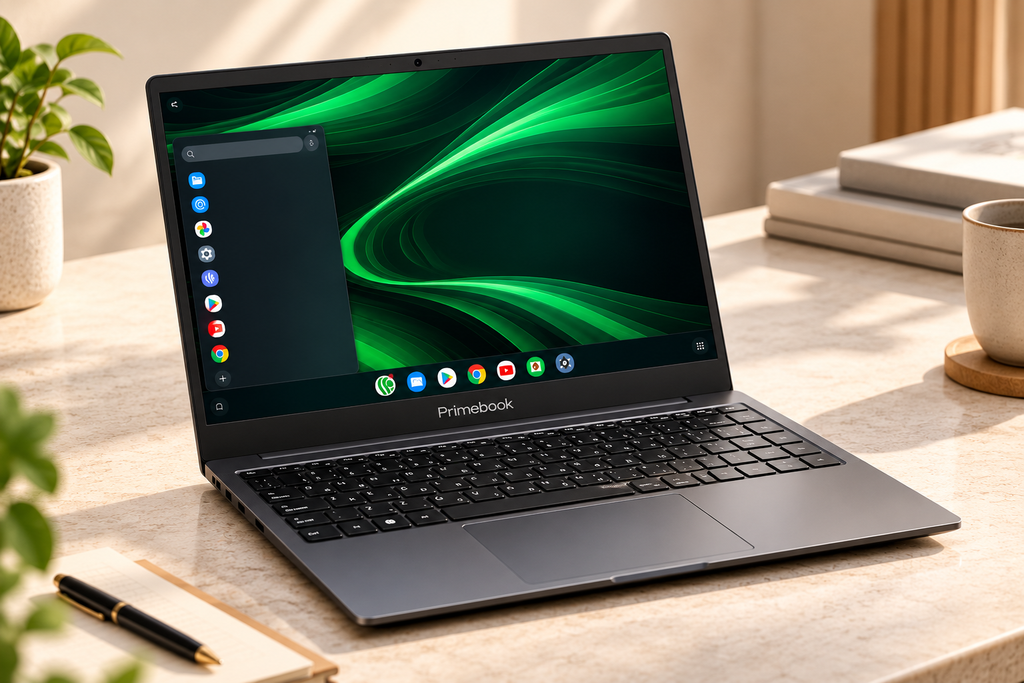
The Primebook 3 Max is an unusual laptop because its biggest improvement isn’t limited to its processor.
The combination of MediaTek Genio 720, 8GB LPDDR5 RAM, 128GB UFS storage and a 60.3Wh battery gives it a stronger hardware platform than previous Primebook models. But the real differentiation comes from PrimeOS and its expanded ecosystem.
PrimeOffice addresses everyday productivity, PrimeLinux brings selected Linux applications and a terminal, PrimeAGNT introduces operator-style AI capabilities, and PrimeX Cloud PC provides access to virtual Windows and Linux environments.
That makes the Primebook 3 Max much more than a simple Android laptop.
At ₹35,990, it is worth considering for students, developers, educators and users who are comfortable with a different approach to personal computing. The 15.6-inch Full HD display, backlit keyboard, 5MP webcam, 12-hour claimed battery life and broad selection of ports also make it practical for everyday use.
But buyers should be clear about what they are purchasing. This is not a traditional Windows laptop. If your work depends on locally installed Windows software, specialised applications or heavy desktop workloads, a conventional Windows notebook may still be the better choice.
For users who are comfortable with PrimeOS and want a laptop that combines Android applications, Linux support, AI tools and cloud computing at a relatively affordable price, the Primebook 3 Max offers a distinctive alternative.
At ₹35,990, it isn’t trying to beat every conventional laptop. Instead, it is trying to change what an affordable laptop can do by combining multiple computing environments into one device.
Primebook 3 Max FAQs
What is the Primebook 3 Max price in India?
The Primebook 3 Max is priced at ₹35,990 for the 8GB RAM and 128GB storage configuration. Festive discounts and bank offers may reduce the effective purchase price during promotional periods.
Which processor powers the Primebook 3 Max?
The laptop uses the MediaTek Genio 720, an octa-core processor with two Cortex-A78 cores and six Cortex-A55 cores, along with an integrated NPU for supported AI workloads.
How much RAM does the Primebook 3 Max have?
It comes with 8GB LPDDR5 RAM.
How much storage does it offer?
The Primebook 3 Max comes with 128GB UFS storage and supports storage expansion of up to 1TB according to recent specifications.
Does Primebook 3 Max support Linux?
Yes. PrimeOS provides access to selected Linux applications and a Linux terminal. Supported applications include VS Code, GIMP, LibreOffice, Firefox, Arduino IDE, DBeaver CE, TablePlus and Postman.
What is PrimeOffice?
PrimeOffice is Primebook’s offline-first productivity suite containing PrimeDocs, PrimeSheets and PrimePresent. Primebook says the suite offers more than 90% of the functionality of Microsoft Office.
Does Primebook 3 Max have AI features?
Yes. It includes PrimeAGNT, an operator-style AI system designed to understand user goals and perform supported tasks across applications. The Genio 720 also includes an NPU for supported on-device AI workloads.
Does Primebook 3 Max run Windows?
No. The laptop runs PrimeOS. Users can access Windows and Linux environments through PrimeX Cloud PC rather than installing Windows as the native operating system.
What display does the Primebook 3 Max have?
It has a 15.6-inch Full HD IPS anti-glare display with a 1920 × 1080 resolution and up to 250 nits of brightness.
How long does the battery last?
Primebook claims up to 12 hours of battery life from its 60.3Wh battery. Actual runtime will vary according to workload, brightness and connectivity.
Does it have a good webcam?
The laptop has a 5MP webcam capable of recording up to 1440p at 30fps, along with dual microphones and stereo speakers.
Where can you buy the Primebook 3 Max?
It is available through Primebook’s official store, Amazon and Flipkart, with selected offline retail availability also being expanded.
Recomendations :
HMD Vibe 2 Pro 5G Brings a Powerful 64MP Camera at ₹14,999
Beats 360 Headphones Brings a Clever Customizable Design
Oppo F35 Pro 5G launched in India with 144Hz Amoled display