
OpenAI Dots Bring Powerful 24/7 AI Agents
OpenAI has introduced Dots, a new type of AI agent designed to keep working even when you are not actively chatting with it. Instead of waiting for a user to send a prompt every time, Dots are built around ongoing goals and can continue working in the background on a user’s behalf.
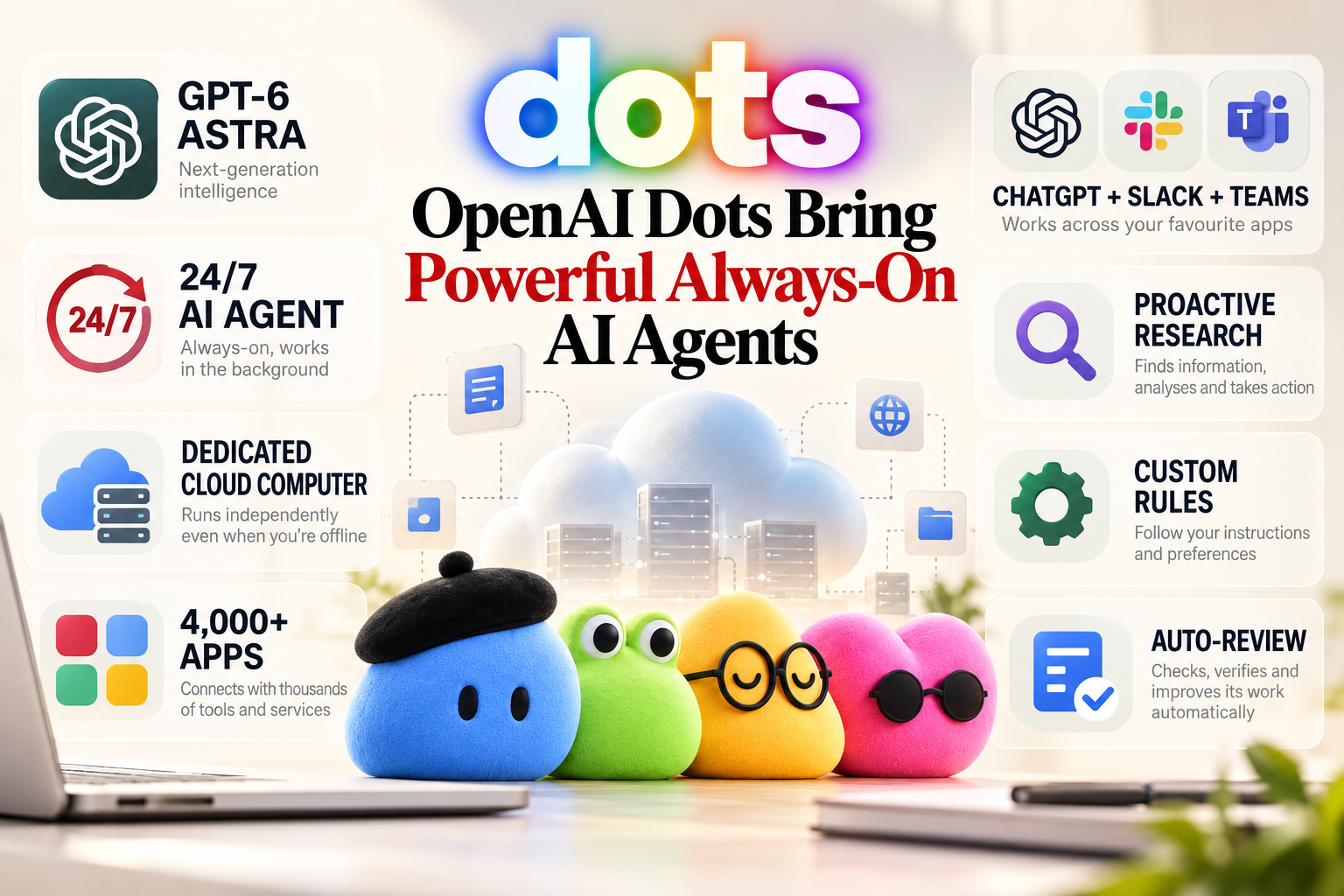
Powered by GPT-6 Astra, each Dot gets its own cloud computer and browser. OpenAI says Dots can work toward goals around the clock, learn from user feedback and connect to more than 4,000 apps through its plugin ecosystem.
The idea moves ChatGPT beyond the traditional question-and-answer model. Rather than simply producing an answer, a Dot can take responsibility for a longer-running task and continue making progress while the user focuses elsewhere.
What Are OpenAI Dots?
Dots are always-on AI agents designed to handle ongoing work.
A conventional chatbot generally waits for a user to start a conversation and provide instructions. Dots are designed differently. A user can give a Dot a goal or project, and the agent can continue working toward that objective without requiring constant step-by-step instructions.
OpenAI describes Dots as agents that can get to know what matters to a user and learn from feedback over time.
For example, a user could assign a Dot a project and continue giving it feedback as the work progresses. The Dot can then use that information to better understand the user’s preferences and expectations.
This makes the Dot concept closer to having a persistent digital assistant than using a conventional chatbot.
Each Dot Gets Its Own Cloud Computer
One of the most important parts of the Dots architecture is the dedicated cloud computer.
Instead of relying entirely on the user’s own PC or smartphone, each Dot operates with its own cloud computer and browser. OpenAI says users can open the Dot’s computer at any time to inspect its work.
This gives the agent an environment where it can perform multi-step tasks, use applications and continue working while the user is away.
The separation from the user’s personal device is also important. A Dot’s work can continue in its cloud environment rather than depending on the user keeping a particular application window open.
Users can also give a Dot permission to connect to their own computer when that capability is appropriate.
Dots Can Work Around the Clock
The biggest difference between Dots and traditional AI chat interfaces is their always-on approach.
OpenAI says Dots can work toward goals 24/7.
That does not mean every task is completely autonomous from beginning to end. Instead, the idea is that a Dot can continue researching, organizing information and progressing through permitted work without requiring the user to repeatedly restart the process.
OpenAI has demonstrated scenarios where Dots can monitor information, investigate problems and continue projects in the background.
The company says one early tester’s Dot even noticed that the user had forgotten to invoice a publication, prepared the invoice and sent it after receiving approval.
This illustrates the larger idea behind Dots: the agent is intended to understand an ongoing responsibility rather than simply answer individual prompts.
More Than 4,000 Apps
Dots are also designed to work beyond the ChatGPT interface.
OpenAI says its plugin ecosystem allows Dots to connect to more than 4,000 applications. They can also be reached through services including ChatGPT, Slack and Microsoft Teams. OpenAI
This could make Dots useful for workflows that involve several different services.
For example, an agent could potentially gather information from connected applications, organize it and prepare work based on the user’s instructions.
The important distinction is that app access depends on the permissions granted to the Dot. Connecting Dots does not automatically give an agent unrestricted access to every application.
Proactive Research
Another important capability is what OpenAI calls proactive research.
A Dot can look for useful updates before the user explicitly asks for them. However, OpenAI has placed additional restrictions around this feature.
The company says proactive research uses read-only tools, meaning those tools cannot directly send messages, change content through plugins or control the user’s browser or computer.
This creates a distinction between an agent researching information in the background and an agent taking consequential actions.
For example, a Dot might gather information from connected sources and prepare useful findings, while actions that change accounts or communicate externally can be subject to additional checks and permissions.
Safety and Approval Controls
Giving an AI agent access to applications and the ability to work continuously creates obvious security concerns.
OpenAI says Dots use several layers of safeguards, including plugin permissions, Custom Rules, Auto-review and safety monitoring.
Users can set additional boundaries using Custom Rules. These can determine which supported actions a Dot can take independently, which require approval and which actions it should not take.
For sensitive actions, additional controls apply.
OpenAI says some actions, such as changing a password or transferring money, require the user to take over. Other actions, such as permanently deleting data or installing software, may require approval. Purchases using saved cards can also require user approval.
This is particularly important because Dots are designed to continue working without constant supervision.
Dots Are Not Completely Autonomous
Despite the “always-on” description, Dots are not designed to have unlimited authority.
OpenAI’s system uses permission controls and action reviews to determine what an agent can do on its own. Users can also monitor activity and redirect a Dot when necessary.
The company also warns that Dots can still make mistakes and recommends reviewing consequential work.
That distinction is important. Dots are intended to reduce the amount of manual direction required from users, but they are not being presented as systems that should receive unlimited control over sensitive accounts.

Where Dots Are Available
OpenAI has started rolling out Dots across Pro, Business Premium and Enterprise plans in eligible markets. The company says it plans to expand access to more users.
OpenAI is also developing specialist Dots for organizations.
These versions are designed around specific responsibilities and can have their own identities, credentials and access to company systems. OpenAI says it is already exploring use cases involving areas such as procurement, invoice processing, email marketing, customer support and commercial contracting.
The company is also working with Microsoft to integrate specialist Dots with Microsoft Agent 365 and its enterprise governance and security controls.
Why OpenAI Dots Matter
Dots represent a broader change in how AI assistants could work.
The traditional chatbot model is built around conversations: a user asks something, receives an answer and then decides what to do next.
Dots are built around responsibility.
The user can give the agent an objective and allow it to continue working toward that outcome. This could reduce the amount of repetitive coordination required for tasks that involve research, organization and multiple applications.
It also means AI systems could become more deeply integrated into everyday digital workflows.
Instead of opening ChatGPT only when help is needed, users could potentially have several specialized agents working on different areas continuously.
The Challenge: Trust
The biggest question surrounding Dots may not be their technical capabilities but how much control users are willing to give them.
An AI that can work across thousands of applications and continue operating in the background has access to considerably more context than a conventional chatbot.
That creates opportunities for productivity, but it also increases the consequences of mistakes.
OpenAI’s permission system, Auto-review and Custom Rules are therefore central to the product rather than optional extras. The company has built multiple layers of oversight around consequential actions, while still trying to make Dots useful without requiring constant approval.
OpenAI Dots: Final Takeaway
OpenAI Dots mark a significant shift from traditional conversational AI toward persistent, goal-driven agents.
Powered by GPT-6 Astra, Dots have their own cloud computers, can work toward goals around the clock and can connect to more than 4,000 applications. They can also be accessed through ChatGPT, Slack and Microsoft Teams.
The most interesting part is not simply that Dots can answer questions. It is that they are designed to keep working after the conversation ends.
At the same time, OpenAI is placing limits around sensitive actions through permissions, Custom Rules, Auto-review and safety monitoring. Users remain responsible for reviewing consequential work.
If OpenAI can make this balance between autonomy and control work reliably, Dots could represent an important step toward AI assistants that behave less like chatbots and more like persistent digital coworkers.
FAQ
- What are OpenAI Dots?
OpenAI Dots are always-on AI agents designed to work continuously toward user goals rather than only responding to individual prompts. - What model powers OpenAI Dots?
Dots are powered by OpenAI’s GPT-6 Astra model. - Can OpenAI Dots work without my computer being open?
Yes. Each Dot has its own cloud computer, allowing it to continue working in its cloud environment. - How many apps can OpenAI Dots connect to?
OpenAI says Dots can connect to more than 4,000 apps through its plugin ecosystem. r - Are OpenAI Dots completely autonomous?
No. Dots have permission controls, Custom Rules, Auto-review and safety restrictions. Certain sensitive actions require approval or user takeover.
Recommending
- GPT-6 Sol and Luna Launch With 50% Lower API Prices
- Meta Connect 2026: Muse AI Is Coming to Smart Glasses
- Anthropic’s Claude Discovers a CRISPR-Like Enzyme System
Source
The source is from the official OpenAI page : Introducing dots | OpenAI