
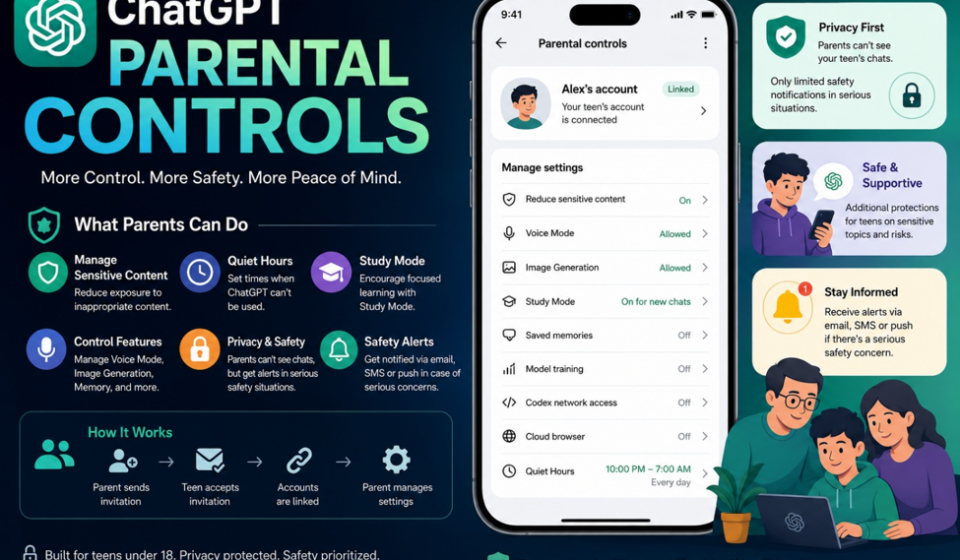
ChatGPT Parental Controls: What Parents Can Control and How They Work
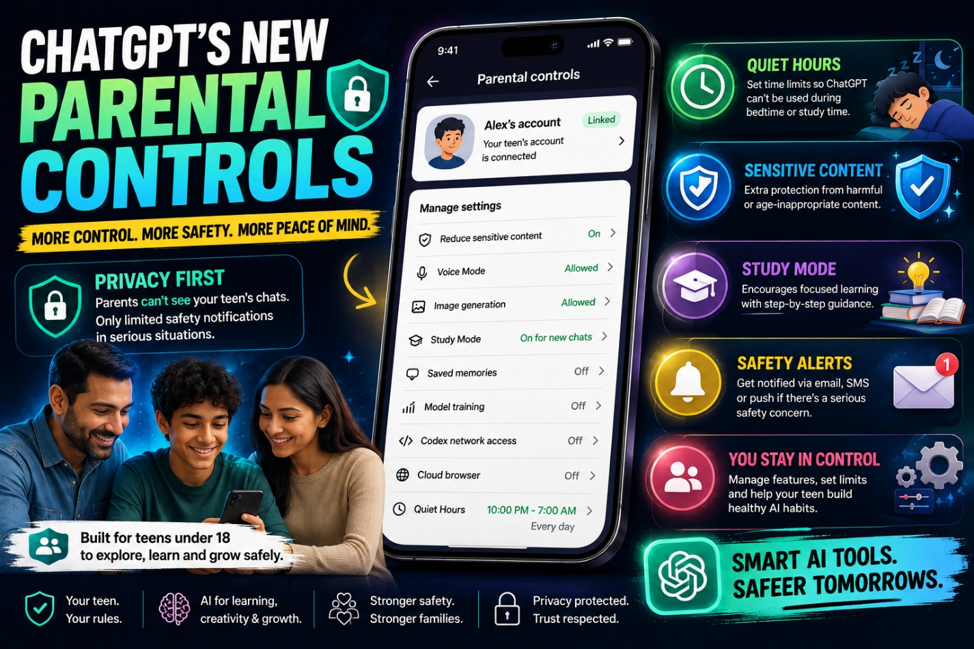
Parents now have more control over how teenagers use ChatGPT. OpenAI’s parental controls allow a parent or guardian to link their account with a teen’s account, manage selected settings, set Quiet Hours, and receive limited safety notifications when serious concerns are detected.
But there is one important detail parents should understand before using the feature: parental controls do not give parents access to their teenager’s ChatGPT conversations. The system is designed to give families more control over how ChatGPT is used while still keeping the teen’s conversations private in normal situations.
What Are ChatGPT Parental Controls?
The feature connects a parent’s ChatGPT account with their teenager’s account. After the teen accepts the invitation, the parent can manage certain settings from their own ChatGPT account.
The controls are designed specifically around the teen experience. ChatGPT is intended for users aged 13 and above, and users between 13 and 18 require parental consent.
Once the accounts are linked, the parent can decide how certain ChatGPT features work for the teen without needing to access their conversations.
What Can Parents Control?
Parents can manage several parts of the ChatGPT experience. This includes sensitive-content protection, Voice Mode, image generation, saved memories and whether the teen’s conversations can be used to improve OpenAI’s models.
Parents can also control Codex network access and Cloud browser access for supported ChatGPT Work features. Another useful option is Study Mode, which can be set so that new main ChatGPT conversations start with Study Mode enabled.
The idea is not to completely block AI use. Instead, parents can decide which features are appropriate for their teenager while still allowing them to use ChatGPT for schoolwork, learning, creativity and everyday questions.
Quiet Hours Can Stop ChatGPT at Certain Times
One of the most practical features is Quiet Hours.
Parents can set a specific period during which ChatGPT cannot be used from the linked teen account. For example, a family could use Quiet Hours to prevent ChatGPT access during late-night hours or during a specific part of the day.
Only one Quiet Hours window can be active at a time.
This is useful because parents don’t have to constantly check whether their teenager is using ChatGPT. They can establish a schedule once and let the setting handle the restriction.
What Happens to Sensitive Content?
When a teen account is linked to a parent, additional safeguards are applied automatically. These protections are designed to reduce exposure to graphic content, risky viral challenges, sexual, romantic or violent roleplay, and content involving extreme beauty standards or unhealthy body-image ideas.
Parents may be able to turn off the specific Reduce sensitive content setting, but doing so does not turn the teen account into a normal adult account. Other teen protections, feature limits and safety systems can still apply.
Can Parents Read Their Teen’s Chats?
No.
This is probably the biggest difference between ChatGPT’s parental controls and traditional parental-monitoring tools. Linking the accounts does not provide a conversation history that parents can open and read, and there is no real-time monitoring of everything the teenager asks ChatGPT.
OpenAI says that in limited safety situations, a parent may receive a notification with information needed to help support the teen’s safety.
When Does ChatGPT Alert Parents?
OpenAI’s system can detect prompts that may indicate serious self-harm concerns or conversations related to acts of violence. A small team of specially trained reviewers can then assess whether there are signs of acute distress or whether the situation may require account action.
If a safety notification is sent, the parent can receive it through email, SMS or push notification. The purpose is to provide enough information to help the parent respond to a serious situation rather than give them access to the teen’s entire ChatGPT history.
OpenAI expanded these notifications in July 2026 to cover additional situations, including cases where a linked teen account is banned for violent activity. The company says the notifications are intended to remain narrow and are not meant for ordinary discussions, fictional writing, gaming or news conversations.
How Do You Set Up Parental Controls?
Setting up the connection starts from ChatGPT’s settings. A parent can open Settings → Parental controls → Add family member, choose whether to invite the teen by phone or email, and send the invitation.
The teenager must accept the invitation before the accounts are linked. After that, the parent can select the teen’s account and manage the available settings. A teen can also invite a parent or guardian to connect their accounts.
Either the parent or the teenager can unlink the accounts later. If the teen removes the connection, the parent is notified.
What Happens When a Teen Turns 18?
Parental controls are not designed to continue indefinitely.
When ChatGPT identifies that a linked teen account belongs to someone who is 18 or older, the account moves out of the teen experience. Teen protections are removed, the parental-controls connection ends and the account holder gets control over their ChatGPT settings.
OpenAI is also rolling out age prediction, which can use signals from account activity to estimate whether a user may be under 18. If an adult is incorrectly placed in the teen experience, they can verify their age to have the teen protections removed.
Are ChatGPT Parental Controls Enough?
The new controls are useful, but they should not be treated as a complete replacement for parental involvement.
They give families practical tools to manage sensitive content, control certain features, set usage hours and receive limited safety alerts. At the same time, parents cannot normally read their teenager’s conversations, which gives the system a balance between parental control and teen privacy.
For families allowing teenagers to use AI, the biggest advantage is that ChatGPT can remain available for learning and everyday use while parents have more control over how the technology is used
Related Articles
- Best AI Tools Every Student Should Know in 2026
- YouTube Monetization Changes 2027…
- Flipkart Freedom Sale 2026
- Vivo S2 Price in India Revealed
For more info visit Chatgpt