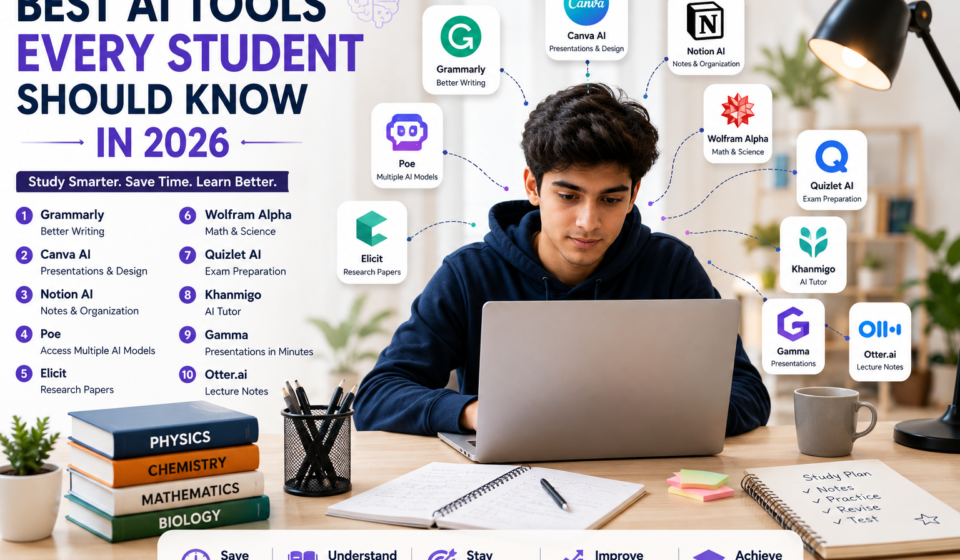
Best AI Tools Every Student Should Know in 2026 (Top 10 Picks)
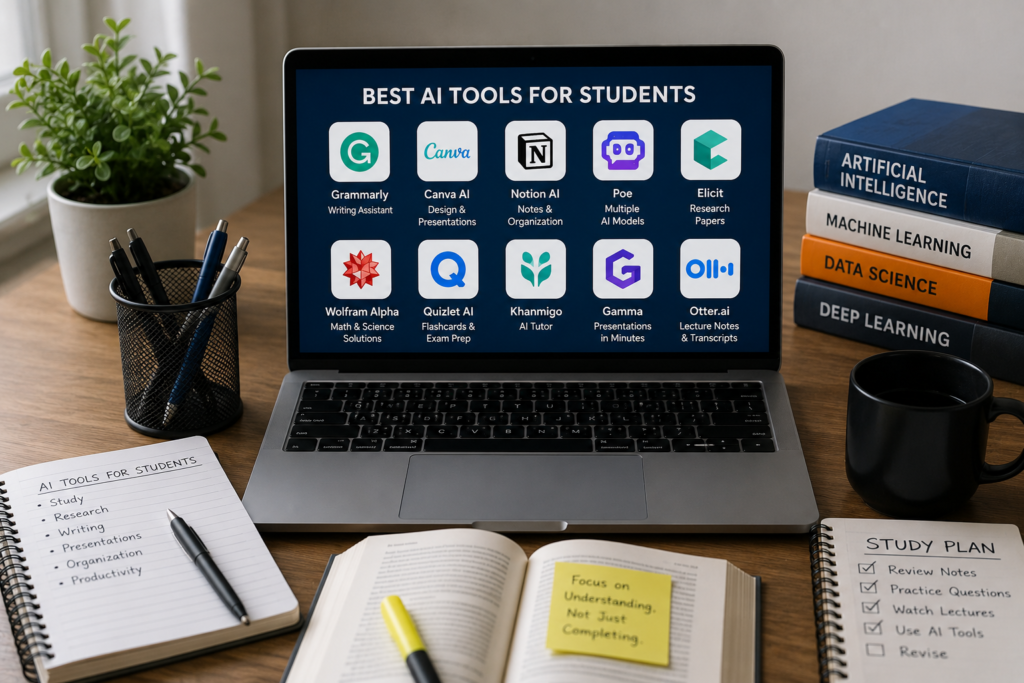
Best AI Tools Every Student
Artificial Intelligence (AI) is no longer something used only by software engineers or big tech companies. In 2026, it’s becoming a part of everyday student life. Whether you’re writing assignments, preparing for exams, taking lecture notes, solving maths problems, conducting research or creating presentations, AI tools can help you complete tasks faster and more efficiently.
That doesn’t mean AI should do all the work for you.
The best way to use AI is as a study partner. It can explain difficult topics in simple language, organise your notes, improve your writing and save hours of repetitive work. But understanding the subject, thinking critically and verifying information should always remain your responsibility.
The biggest challenge for students isn’t finding AI tools—it’s knowing which ones are actually worth using. Hundreds of AI apps promise to improve learning, but only a handful genuinely make studying easier.
In this guide, we’ve selected 10 of the best AI tools for students in 2026 based on usefulness, ease of use and real-world value. Whether you’re a school student, college undergraduate, engineering student, MBA aspirant or preparing for competitive exams, these tools can help you learn smarter and become more productive.
Why Should Students Use AI?
Students today have more information available than ever before, but finding the right information and managing it efficiently can still be difficult.
AI helps by reducing the time spent on repetitive tasks. Instead of searching through multiple websites, organising handwritten notes or spending hours designing presentations, students can use AI to simplify many everyday academic activities.
AI tools can help you:
- Write better assignments
- Create study notes
- Summarise lengthy chapters
- Solve maths and science problems
- Conduct academic research
- Prepare for exams
- Design presentations
- Record lectures
- Organise projects and deadlines
However, AI should never replace learning. Use it to understand concepts, improve your work and save time—not to copy answers without understanding them.
1. Grammarly
Best AI Tool for Writing Assignments
Good writing is an important skill for every student. Whether you’re submitting assignments, writing essays, sending emails to professors or applying for internships, clear and error-free writing creates a better impression. Best AI Tools Every Student
Grammarly is one of the most trusted AI writing assistants available today. It checks grammar, spelling, punctuation and sentence structure while suggesting ways to make your writing clearer and more professional. It can also rewrite sentences, improve tone and help make your content easier to read.
For students whose first language isn’t English, Grammarly is especially useful because it explains many common writing mistakes instead of simply correcting them.
Key Features
- Grammar and spelling checker
- AI writing suggestions
- Sentence rewriting
- Tone detection
- Plagiarism checker (Premium)
Free Version: Yes
Paid Version: Grammarly Premium
Best For: Essays, reports, assignments and professional emails.
Real-Life Example: After finishing a university assignment, Grammarly highlights grammar mistakes, improves awkward sentences and helps you submit a cleaner, more professional report.
2. Canva AI
Best AI Tool for Presentations and Creative Projects
Students often need more than just written assignments. Classroom presentations, posters, resumes, infographics and project reports have become a regular part of academic life.
Canva AI makes designing these projects much easier. Best AI Tools Every Student
Instead of creating every slide or graphic from scratch, you can choose a template and let Canva’s AI suggest layouts, visuals, icons and presentation designs. It also offers AI image generation, background removal and ready-made templates that save hours of work.
Even students with no design experience can create professional-looking presentations in minutes.
Key Features
- AI presentation generator
- AI image generation
- Background remover
- Thousands of templates
- Resume builder
- Team collaboration
Free Version: Yes
Paid Version: Canva Pro
Best For: Presentations, posters, resumes and creative assignments.
Real-Life Example: You have a science presentation tomorrow. Canva AI quickly creates a professional slide deck with suitable layouts and visuals, allowing you to spend more time practising instead of designing.
3. Notion AI
Best AI Tool for Organising Your Study Life
Managing multiple subjects, assignments and deadlines can quickly become overwhelming, especially during exam season.
Notion AI helps students organise everything in one place. You can create notes, track assignments, manage projects, build study schedules and store important documents without switching between multiple apps.
Its AI features can summarise lecture notes, generate revision plans, organise meeting notes and even help brainstorm ideas for projects. Best AI Tools Every Student
Whether you prefer detailed planners or simple to-do lists, Notion AI adapts to your study style and keeps everything organised.
Key Features
- AI note summaries
- Task management
- Study planning
- Project organisation
- Brainstorming
- Team collaboration
Free Version: Yes
Paid Version: Notion AI Add-on
Best For: Organising notes, assignments and study schedules.
Real-Life Example: At the beginning of a new semester, you create a separate workspace for each subject. Notion AI summarises lecture notes, tracks deadlines and generates weekly study plans to help you stay organised.
4. Poe
Best AI Platform for Accessing Multiple AI Models
Different AI models often give different answers to the same question. Instead of visiting multiple websites, Poe lets students access several popular AI models from one platform. Best AI Tools Every Student
This makes it easy to compare explanations, coding solutions, writing suggestions and research ideas without switching between different AI services. Best AI Tools Every Student
Poe also includes community-created AI bots designed for specific purposes such as language learning, programming and exam preparation.
It’s a useful platform for students who want different perspectives before trusting an answer.
Key Features
- Access multiple AI models
- Compare AI responses
- Community AI bots
- Fast interface
- Multi-device support
Free Version: Yes
Paid Version: Poe Premium
Best For: Comparing AI responses, programming help and general learning.
Real-Life Example: A law student asks the same ethics question to different AI models through Poe. Comparing the responses helps identify different viewpoints before conducting further research.
5. Elicit
Best AI Tool for Academic Research
Research papers often require reading dozens of academic studies before writing a single page.
Elicit makes this process much easier by focusing on research papers instead of general web content. It searches academic literature, summarises studies, compares research findings and helps students identify reliable sources much faster. Best AI Tools Every Student
While it doesn’t replace reading original papers, it significantly reduces the time needed to build a literature review and understand complex research. Best AI Tools Every Student
It’s especially valuable for university students, postgraduate researchers and anyone working on dissertations or thesis projects.
Key Features
- Academic paper search
- Literature review assistance
- Research summaries
- Evidence comparison
- Citation support
Free Version: Yes
Paid Version: Elicit Plus
Best For: Research papers, dissertations and literature reviews.
Real-Life Example: A postgraduate student researching renewable energy uses Elicit to find recent journal articles, compare their findings and shortlist the most relevant studies before reading the full papers.
6. Wolfram Alpha
Best AI Tool for Mathematics, Science and Engineering
Mathematics and science subjects often require more than just a final answer—you need to understand the steps involved. Wolfram Alpha is designed to solve complex mathematical, scientific and engineering problems while explaining how the solution is reached. Best AI Tools Every Student
Unlike a traditional search engine, it computes answers using its vast knowledge base. From algebra and calculus to statistics, chemistry and physics, Wolfram Alpha is widely used by students around the world. It can also generate graphs, solve equations, perform unit conversions and analyse datasets, making it an excellent companion for STEM students. Best AI Tools Every Student
Key Features
- Step-by-step mathematical solutions
- Graph plotting
- Scientific calculations
- Equation solving
- Unit conversions
- Data analysis
Free Version: Yes
Paid Version: Wolfram Pro
Best For: Mathematics, engineering, physics, chemistry and data analysis.
Real-Life Example: An engineering student solving differential equations uses Wolfram Alpha to understand each calculation step instead of memorising formulas.
7. Quizlet AI
Best AI Tool for Exam Preparation
Preparing for exams usually involves reading notes repeatedly, but active recall is one of the most effective learning methods. Quizlet AI helps students revise smarter by turning study material into interactive flashcards, quizzes and practice tests. Best AI Tools Every Student
Instead of creating every flashcard manually, Quizlet AI can generate study sets automatically from your notes. It also offers different learning modes that help students remember concepts more effectively through repetition and self-testing. Best AI Tools Every Student
Whether you’re studying vocabulary, medical terminology, historical events or scientific definitions, Quizlet AI makes revision more engaging.
Key Features
- AI-generated flashcards
- Practice quizzes
- Learn mode
- Test mode
- Study games
- Progress tracking
Free Version: Yes
Paid Version: Quizlet Plus
Best For: Exam preparation, memorisation and revision.
Real-Life Example: Before a biology exam, a student uploads class notes into Quizlet AI, which instantly creates flashcards and quizzes for quick revision.
8. Khanmigo
Best AI Tutor for Personalised Learning
Sometimes students need more than answers—they need someone to explain concepts patiently. Khanmigo, developed by Khan Academy, acts as an AI tutor that guides students through the learning process instead of simply providing solutions. Best AI Tools Every Student
Rather than giving direct answers immediately, Khanmigo encourages students to think critically by asking follow-up questions and providing hints. This approach helps students understand concepts more deeply and develop problem-solving skills. Best AI Tools Every Student
It supports subjects such as mathematics, science, history and programming, making it useful for learners of different age groups.
Key Features
- AI tutoring
- Step-by-step guidance
- Interactive learning
- Homework assistance
- Subject-specific explanations
- Learning support
Free Version: Limited
Paid Version: Available through Khan Academy plans
Best For: Personalised learning and concept understanding.
Real-Life Example: A high school student struggling with algebra receives guided hints from Khanmigo instead of direct answers, making it easier to understand the topic independently.
9. Gamma
Best AI Tool for Professional Presentations
Creating presentations can take several hours, especially when deciding on layouts, colours and content structure. Gamma uses AI to generate complete presentations from a simple prompt or document. Best AI Tools Every Student
Instead of designing each slide manually, students can describe their topic, and Gamma automatically creates a professional-looking presentation with organised content, visuals and formatting. Best AI Tools Every Student
This makes it especially useful for seminars, classroom presentations, project demonstrations and group assignments where time is limited.
Key Features
- AI presentation generator
- Smart layouts
- Automatic formatting
- Content suggestions
- Collaboration tools
- Easy sharing
Free Version: Yes
Paid Version: Gamma Plus
Best For: Classroom presentations, seminars and project reports.
Real-Life Example: A business student enters the topic “Digital Marketing Trends” into Gamma and receives a polished presentation that only needs minor edits before class.
10. Otter.ai
Best AI Tool for Recording Lectures and Meetings
Taking notes while listening to a lecture can be challenging. Otter.ai helps students stay focused by recording conversations and converting speech into searchable text in real time. Best AI Tools Every Student
After recording, students can review transcripts, search for important keywords and revisit missed points without replaying the entire lecture. This is especially useful during online classes, guest lectures, interviews and group discussions. Best AI Tools Every Student
Otter.ai also makes collaboration easier by allowing teams to share transcripts and meeting notes.
Key Features
- AI speech-to-text transcription
- Live captions
- Lecture recording
- Searchable transcripts
- Speaker identification
- Meeting summaries
Free Version: Yes
Paid Version: Otter Pro
Best For: Lecture notes, online classes and group discussions.
Real-Life Example: During a two-hour university lecture, Otter.ai records the session and creates a searchable transcript, allowing the student to review important topics later without missing key details. Best AI Tools Every Student
How to Use AI Responsibly as a Student
AI can save time and improve productivity, but it should support your learning rather than replace it. Always verify important information, especially when working on assignments or research projects. If you’re using AI-generated content, rewrite it in your own words and ensure it follows your institution’s academic integrity guidelines.
Think of AI as a study assistant that helps you understand concepts, organise your work and learn more efficiently—not as a shortcut to avoid learning. Best AI Tools Every Student
Also read the AI in Smartphones: Everything You Need to Know in 2026
Please visit for more info IPhone