
Amazon Sale 2026: 5 Best Laptops for Students Under ₹50,000
Buying a laptop from Amazon Sale 2026 for college can be confusing, especially when you have a budget of ₹50,000 and several models promise similar features. You need a laptop that can handle assignments, online classes, presentations, research, coding and everyday multitasking without making you spend more than necessary.
Amazon’s Great Indian Festival 2026 began on October 8, bringing discounts across electronics, including laptops. Eligible buyers may also find additional savings through bank offers, coupons and selected EMI options. However, the final price depends on the exact laptop configuration, seller and applicable offer conditions.
If you are a student looking for a Windows laptop, five models worth comparing are the Acer SmartChoice Aspire One, Dell 15, ASUS Vivobook Go 14, Acer Aspire Lite and Lenovo IdeaPad Slim 3.
Each laptop serves a slightly different purpose. Some focus on portability, while others offer a larger display, more storage or a balanced configuration for everyday work. Here is what you should know before choosing one.
1. Acer SmartChoice Aspire One — Best Overall for Students
Approximate price: ₹38,990–₹44,990
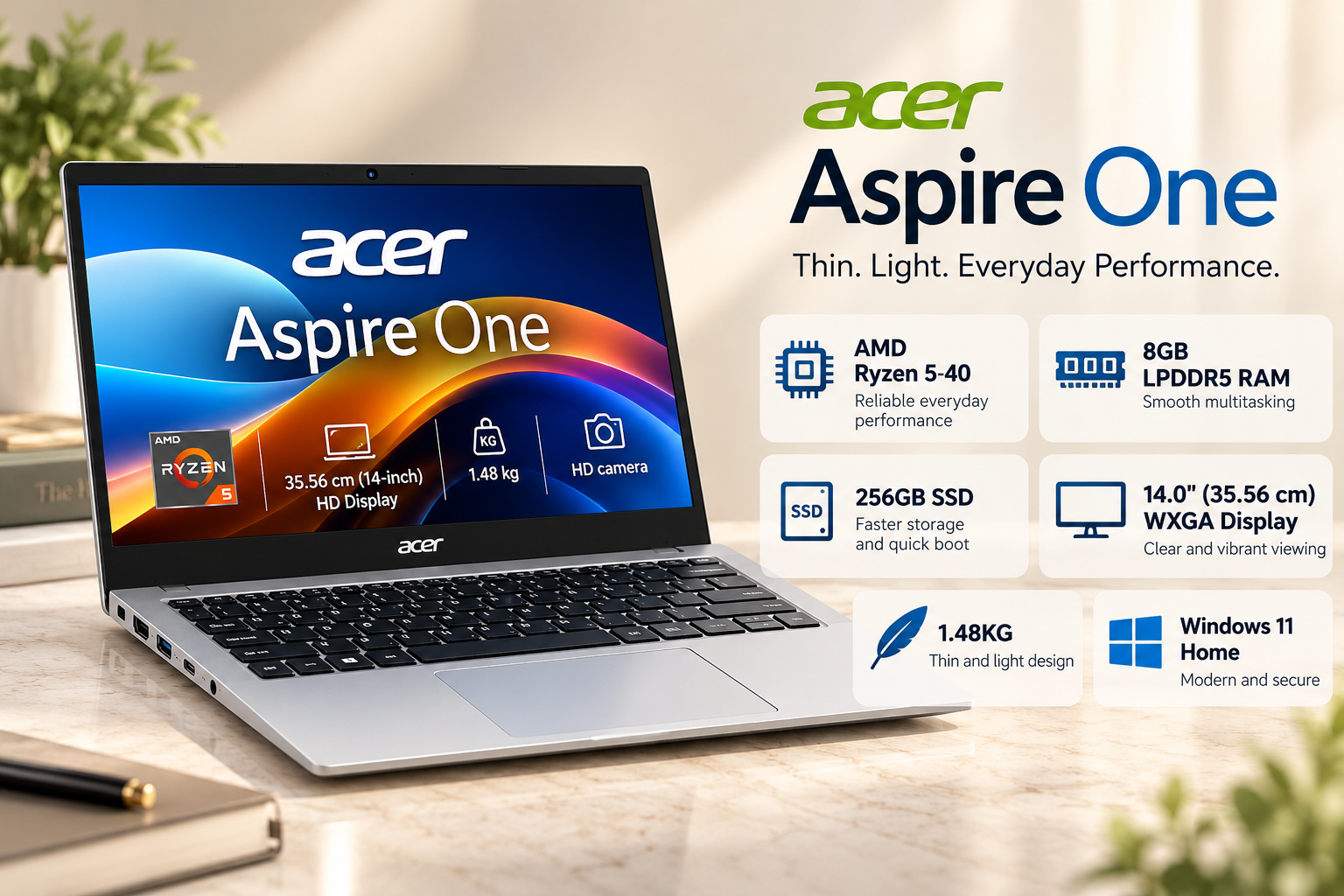
The Acer SmartChoice Aspire One is worth considering if you want a compact laptop for everyday college work without spending your entire budget.
Depending on the listing, the Aspire One is available with AMD Ryzen 3 7320U or Ryzen 5 7520U processors, 8GB RAM and either 256GB or 512GB SSD storage. The Ryzen 5 configuration is particularly worth comparing if you regularly work with multiple browser tabs, documents and online learning applications.
The 14-inch design makes the laptop convenient for carrying between home, college and the library. A smaller display also takes up less desk space, which can be useful in classrooms and shared study areas.
For normal student activities, the Aspire One can handle word processing, spreadsheets, presentations, online meetings and web research. Its integrated graphics are suitable for everyday visual tasks, although this is not a laptop designed for demanding gaming or intensive 3D work.
The main decision is whether to choose the 256GB or 512GB SSD version. The smaller option may be enough if you mainly use cloud storage, while 512GB offers more room for applications, downloaded lectures and personal files.
Best for: Students who need a portable laptop for everyday academic work.
Before buying: Check the processor, screen resolution, exact RAM configuration and SSD capacity. Do not assume every Aspire One listing contains the same hardware.
2. Dell 15 — Best for Students Who Prefer a Larger Screen
Approximate price: Around ₹49,990 for the target configuration
If you spend several hours reading PDFs, preparing assignments or working with spreadsheets, a larger display may be more comfortable than a compact 14-inch screen.
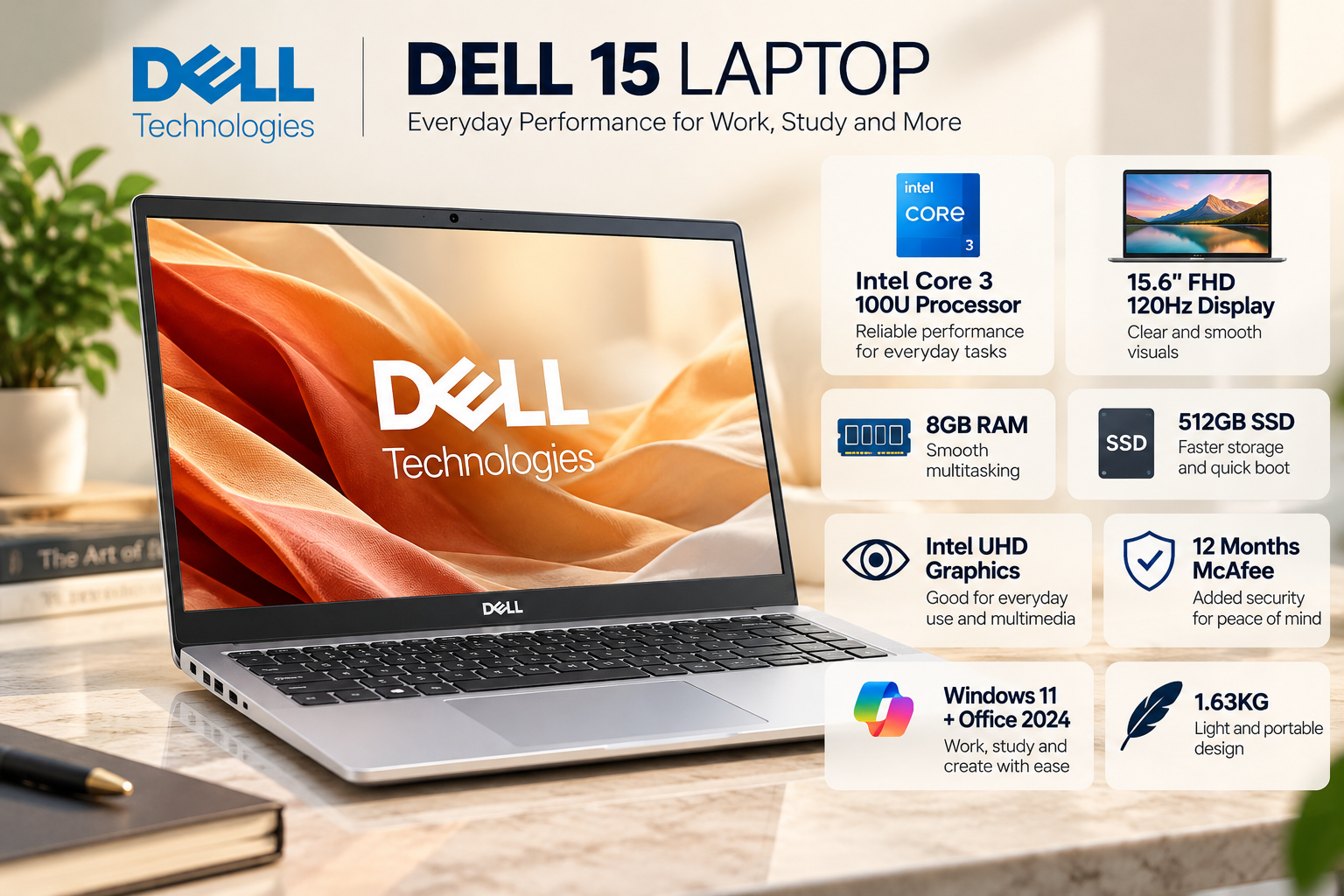
The Dell 15 is a candidate for students who prefer a conventional laptop with a 15.6-inch display. The configuration to look for includes an Intel Core 3 100U processor, 8GB RAM and a 512GB SSD.
This processor is intended for everyday productivity rather than demanding professional workloads. It should be suitable for documents, browser-based applications, online classes, presentations and light multitasking.
The larger display provides more working space for side-by-side windows. For example, you can keep a lecture open while taking notes or compare information between two documents without constantly switching tabs.
However, a larger laptop is generally less convenient to carry than a compact model. Students who commute daily should consider the weight and dimensions before choosing it.
Microsoft Office may also be included with selected configurations, but the licence and included applications vary by listing.
Best for: Students who prioritise screen size and mostly work at a desk.
Before buying: Verify the complete model number, display resolution, refresh rate, RAM configuration and Office licence. Dell 15 is a product family, not one fixed specification.
3. ASUS Vivobook Go 14 — Best for Portability
Approximate price: ₹43,990–₹48,990, depending on configuration and offer
The ASUS Vivobook Go 14 is a strong option if portability is your main priority.
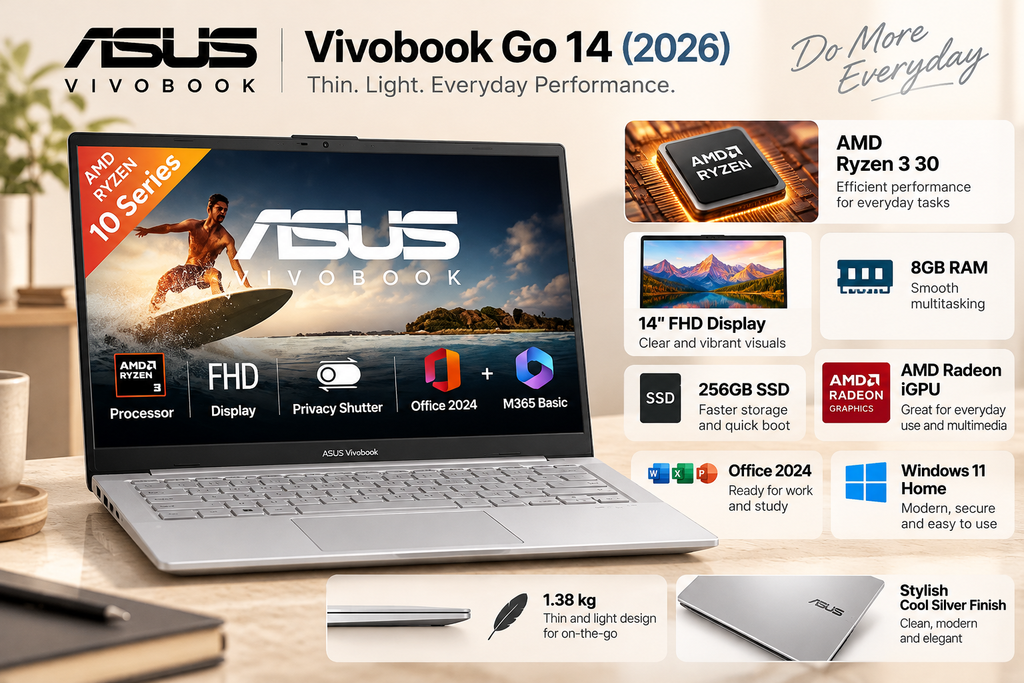
ASUS’s official Indian product page lists the Vivobook Go 14 E1404F family with AMD Ryzen 3 7320U and Ryzen 5 7520U processor options, a 14-inch Full HD display and up to 512GB SSD storage. The listed starting price on the ASUS page is ₹43,990, although stock and pricing can change.
The Ryzen 3 version is suitable for routine academic work, including writing assignments, browsing, attending online classes and working with presentations. If you regularly multitask, compare the Ryzen 5 configuration as well.
The 14-inch Full HD display offers a useful balance between portability and workspace. ASUS also lists a 180-degree hinge design and military-grade durability testing for the product family. These features can be helpful for everyday handling, although they do not make a laptop indestructible.
Some variants include Microsoft Office Home 2024, while the included software depends on the exact model and licence. Check the product listing rather than assuming every version comes with the same package.
Best for: Students who carry their laptop frequently and want a compact Windows device.
Before buying: Confirm the processor, RAM, storage, display specifications and included Office licence. The official ASUS page is a useful reference when comparing Amazon listings.
4. Acer Aspire Lite — Best for Everyday Value
Approximate price: ₹42,990–₹46,990 for selected configurations
The Acer Aspire Lite is another option for students who want a practical laptop for assignments, research and everyday productivity.
Selected configurations feature an Intel Core i3-1305U processor or an AMD Ryzen 3 processor, 8GB RAM and a 512GB SSD. Because the Aspire Lite family contains different models, these specifications should not be treated as universal.
A laptop with this hardware can be suitable for common academic tasks, including documents, spreadsheets, web browsing, video calls and light multitasking. The 512GB SSD is especially useful if you prefer keeping applications, project files and downloaded study material on the device.
Some Aspire Lite models have metal-finish construction, while upgrade options vary by model. If you expect to use your laptop for several years, checking RAM upgradeability and storage expansion is worthwhile.
The processor choice matters, too. Compare the exact model’s CPU and graphics capabilities rather than assuming every Core i3 or Ryzen 3 configuration delivers identical performance.
The Aspire Lite is best evaluated by balancing its price against its processor, display, memory and upgrade options.
Best for: Students looking for a straightforward laptop for coursework and general productivity.
Before buying: Check whether the RAM is soldered, whether an additional memory slot is available and what warranty applies to the selected configuration.
5. Lenovo IdeaPad Slim 3 — Best All-Rounder
Approximate price: Around ₹49,990 for the target configuration
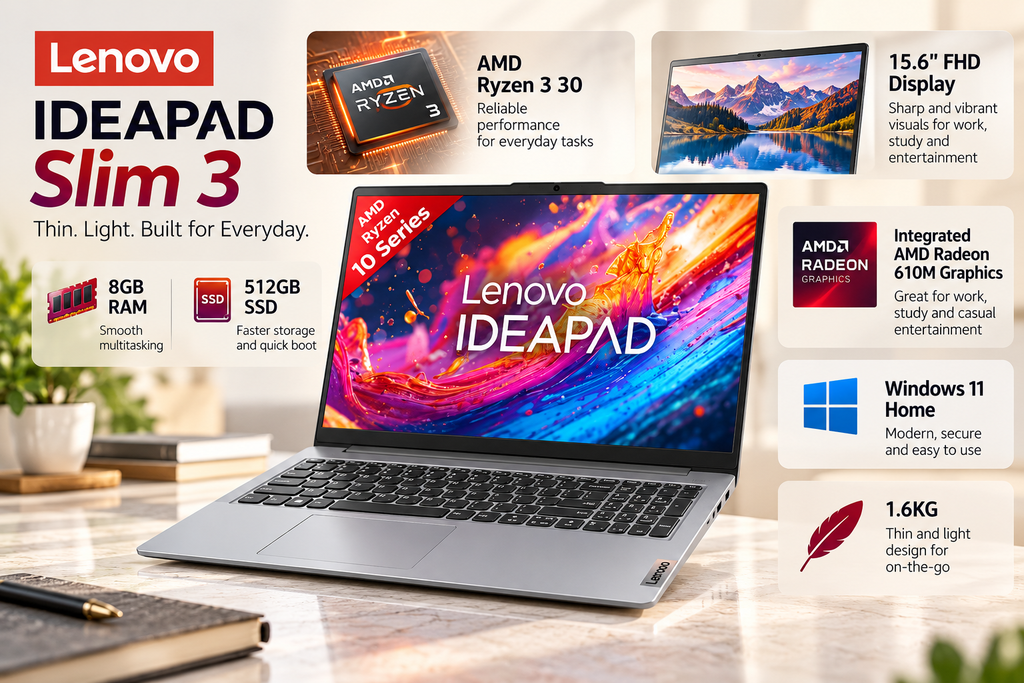
The Lenovo IdeaPad Slim 3 is worth considering if you want a laptop for studying, everyday productivity and entertainment.
The configuration to compare includes an AMD Ryzen 3 7320U processor, 8GB RAM and a 512GB SSD. Other IdeaPad Slim 3 models have different processors, memory capacities and displays, so the complete model number matters.
For students, this type of configuration is designed for routine workloads such as writing assignments, attending online lectures, preparing presentations, browsing and managing files.
The 512GB SSD gives you room for coursework, applications and downloaded content. It can also be useful if your college projects involve storing multiple documents, presentations or media files locally.
The main consideration is value. At close to ₹50,000, compare the IdeaPad Slim 3 against the Acer Aspire One and ASUS Vivobook Go 14 before purchasing. A less expensive model may meet your needs equally well, leaving money for accessories or other college expenses.
Best for: Students who want a balanced laptop for general academic and personal use.
Before buying: Check the exact processor, display, RAM, storage, battery details and warranty. The IdeaPad Slim 3 name covers multiple configurations.
Quick Comparison: Best Student Laptops Under ₹50,000
| Laptop | Approximate price | Main advantage |
|---|---|---|
| Acer SmartChoice Aspire One | ₹38,990–₹44,990 | Everyday value and portability |
| Dell 15 | Around ₹49,990 | Larger display |
| ASUS Vivobook Go 14 | ₹43,990–₹48,990 | Compact design |
| Acer Aspire Lite | ₹42,990–₹46,990 | Everyday productivity |
| Lenovo IdeaPad Slim 3 | Around ₹49,990 | Balanced everyday use |
Prices are approximate reference points, not guaranteed live Amazon prices. Some configurations may cost more or less depending on the seller, variant and eligible offers.
What Should Students Look for in a Laptop?
Processor: Choose According to Your Course
For general college work, a suitable Ryzen 3 or Intel Core 3 processor can be sufficient. A Ryzen 5 configuration may be preferable if you regularly multitask or use more demanding applications.
Students studying computer science should also consider the software they expect to run. Basic programming and web development do not usually require a high-end laptop, but virtual machines, large development environments and specialised applications may need additional memory and processing power.
RAM: Is 8GB Enough?
Eight gigabytes of RAM can work for assignments, online classes and light multitasking. However, students who keep many browser tabs open or use demanding software should consider whether a model with more RAM is available within their budget.
Check whether the memory is upgradeable. Some laptops use soldered RAM, meaning you cannot add more memory later.
Storage: Prefer a 512GB SSD
A 512GB SSD is a practical choice for students who store applications, project files, videos and downloaded lecture material locally.
A 256GB SSD can still be sufficient if you rely heavily on cloud storage, but it may fill up sooner. SSD storage also helps with everyday responsiveness compared with traditional hard drives.
Display and Portability
A 14-inch Full HD laptop is generally a convenient choice for students who travel frequently. A 15.6-inch display may be more comfortable for extended desk-based work, spreadsheets and side-by-side documents.
Also consider brightness, anti-glare treatment, keyboard comfort and the laptop’s actual weight. Screen size alone does not determine display quality.
Battery Life and Warranty
Battery life depends on the model, screen brightness, applications, network conditions and power settings. Look for independent battery tests when available instead of relying only on manufacturer estimates.
Check the warranty duration, service options and return policy before ordering. These factors become especially important if you expect to use the laptop throughout your degree.
How to Get a Better Laptop Deal During Amazon Sale 2026
A laptop’s headline discount does not always represent the best value. Before placing an order, compare the final price and the exact configuration.
- Check eligible bank offers: Confirm the card type, minimum transaction value and maximum discount.
- Compare storage and RAM: A small price difference may justify choosing a 512GB SSD or a more suitable configuration.
- Verify the seller: Review seller information, delivery availability and warranty terms.
- Check bundled software: Confirm whether Microsoft Office is included and what type of licence you receive.
- Review the return policy: Understand the applicable conditions before buying.
- Compare the exact model number: Similar product names can hide significant differences in display, memory and processor.
The sale began on October 8, but availability and pricing may change throughout the event. Use the live product page to confirm the final checkout amount.
Which Laptop Should You Choose?
The best laptop depends on how you study and where you use it.
The Acer SmartChoice Aspire One is a sensible starting point for everyday college work, particularly if you find the Ryzen 5 version at a competitive price. The Dell 15 makes more sense if you prefer a larger screen and do not mind carrying a bigger laptop.
The ASUS Vivobook Go 14 is worth comparing if portability matters most. The Acer Aspire Lite is a practical option for general productivity, while the Lenovo IdeaPad Slim 3 is another balanced choice for students who want a conventional Windows laptop.
Do not choose a laptop simply because it has a large discount or a familiar brand name. The best purchase is the configuration that meets your academic needs, has sufficient storage and memory, and fits comfortably within your budget.
Conclusion
Amazon Sale 2026 offers students an opportunity to compare several Windows laptops under ₹50,000. The Acer Aspire One, Dell 15, ASUS Vivobook Go 14, Acer Aspire Lite and Lenovo IdeaPad Slim 3 each offer a different balance of portability, screen size and everyday performance.
Before buying, verify the exact model, final checkout price, warranty and configuration. For most students, a laptop with a suitable modern processor, 8GB or more RAM, a 512GB SSD and a comfortable Full HD display is a practical starting point.
A well-chosen laptop should support your studies for years, not just look attractive during a festive sale.
FAQ’s
1. Which are the best laptops for students under ₹50,000 during Amazon Sale 2026?
The Acer SmartChoice Aspire One, Dell 15, ASUS Vivobook Go 14, Acer Aspire Lite and Lenovo IdeaPad Slim 3 are five options worth comparing. The best choice depends on the exact configuration and final price.
2. Which student laptop is best for everyday college work?
The Acer SmartChoice Aspire One is a good starting point for students who want a compact laptop for documents, research, online classes and light multitasking.
3. Is 8GB RAM enough for college students?
Eight gigabytes is generally sufficient for basic academic work and light multitasking. Students running demanding software should consider more RAM if their budget permits.
4. Should I buy a 256GB or 512GB SSD laptop?
A 512GB SSD provides more space for applications, projects, videos and lecture downloads. A 256GB SSD may be enough if you primarily use cloud storage.
5. Is the ASUS Vivobook Go 14 suitable for coding?
The Ryzen 3 and Ryzen 5 configurations can handle beginner programming, web development and lightweight coding projects. More demanding workloads may require a more powerful processor or additional memory.
6. Is the Dell 15 better than a 14-inch laptop?
A 15.6-inch display provides more workspace, while a 14-inch laptop is usually easier to carry. Choose according to your travel requirements and how you prefer to study.
7. Can these laptops run games?
Their integrated graphics are suitable for some lighter games, but these configurations are not designed for demanding modern games at high settings. Gaming requirements should be checked separately.
8. Does every laptop include Microsoft Office?
No. Office availability and licence type vary by configuration. Verify whether the listing includes a perpetual licence, a subscription or a trial.
9. Can bank offers reduce laptop prices below ₹50,000?
Eligible bank discounts, coupons and exchange offers may reduce the final cost. The benefit depends on the specific product and offer conditions, so check the checkout page.
10. What should I check before ordering a laptop on Amazon?
Verify the full model number, processor, RAM, SSD capacity, display, seller, warranty, return policy and final payable price. Do not rely only on the advertised discount.
Suggestions
- Lenovo Unveils New 2026 PCs: ThinkBook, LOQ, ThinkCentre and Yoga Pro 9n
- Primebook 3 Max Brings a Powerful AI Upgrade at ₹35,990
- ASUS ProArt P16 H7606 Packs Powerful RTX Graphics
Source
- ASUS Store India — Vivobook Go 14 — product specifications and software configuration