
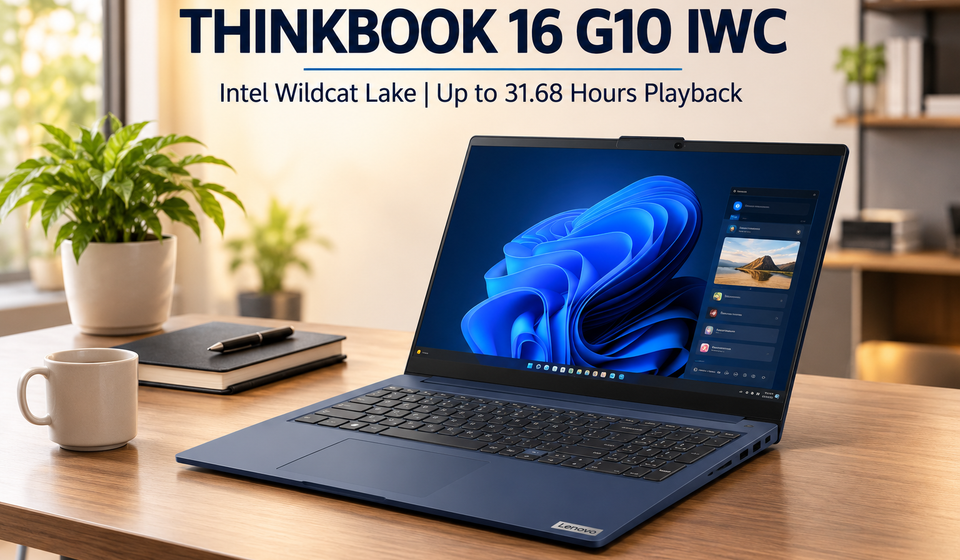
Lenovo has quietly added a new 16-inch model to its ThinkBook lineup, and it makes a very clear argument: most business laptops ask you to trade battery life for performance, but this one tries to give you both. The Lenovo ThinkBook 16 G10 IWC is the first Gen 10 entry in the ThinkBook 16 family, and it moves the series onto Intel’s newer “Wildcat Lake” processor platform. It is not a flashy consumer machine. It is a work laptop built around endurance, a sensible port selection, and a screen that you can configure to match your budget rather than the other way around.
Key features at a glance
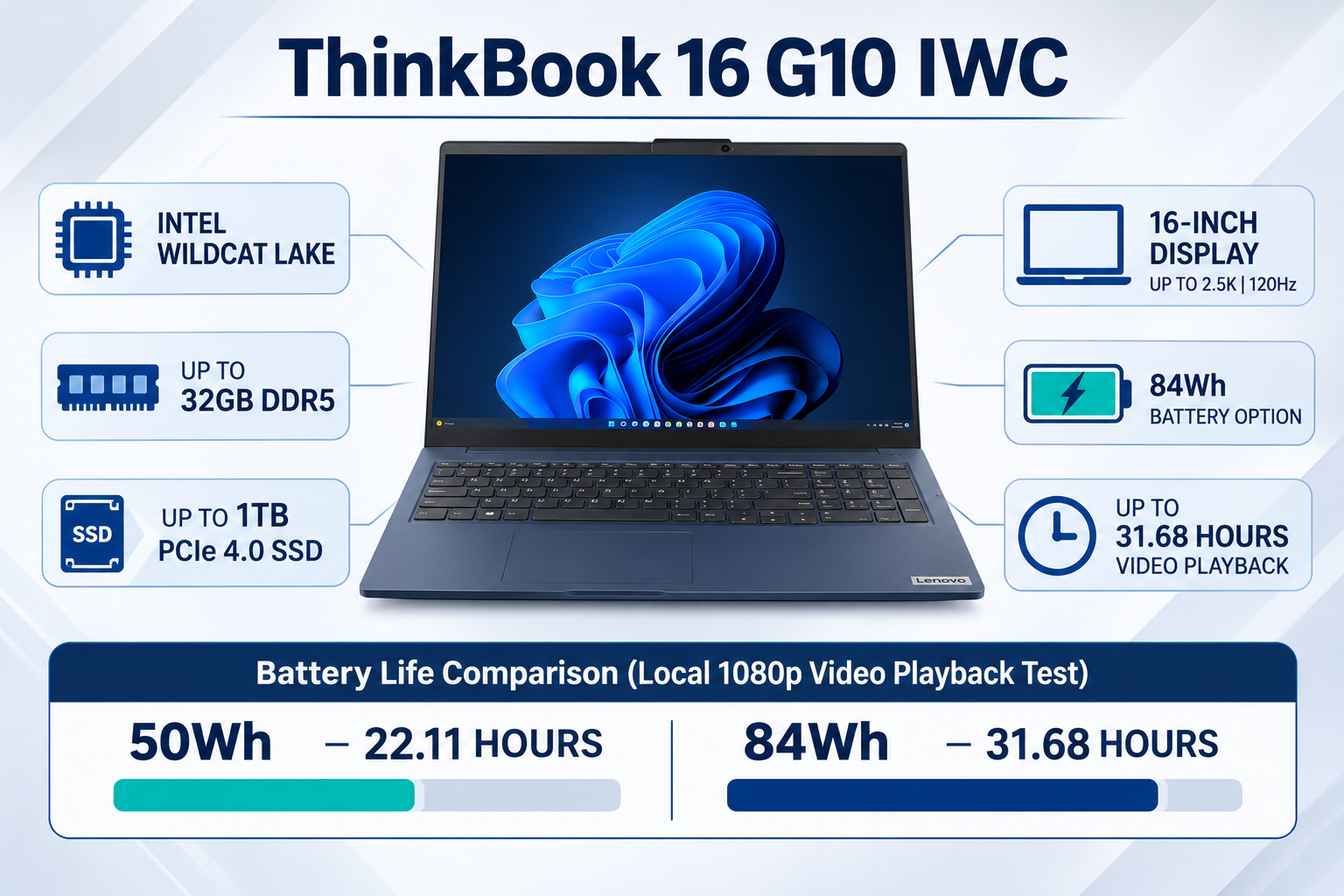
- Intel Wildcat Lake processors — choice of Core 3 304, Core 5 320, Core 5 330, or Core 7 350
- Up to 32 GB DDR5-5600 memory and up to 1 TB PCIe 4.0 storage
- Integrated NPU rated up to 17 TOPS for on-device AI tasks
- Four 16-inch display options, including a 2.5K 120 Hz panel
- 50 Wh or 84 Wh battery, with the larger cell rated for 31.68 hours of local 1080p video playback
- Full business port set — USB-C, USB-A, HDMI, Ethernet, SD card reader, and a 3.5 mm audio jack
- Aluminum top cover with a dual-tone finish in Cosmic Blue or Luna Grey
Processor and performance: a modest but efficient step forward
The ThinkBook 16 G10 IWC runs on Intel’s Wildcat Lake architecture, and Lenovo offers four processor choices. The range starts with the Core 3 304 and climbs through the Core 5 320, Core 5 330, and Core 7 350. These are not high-power chips designed for heavy creative workloads. They are efficiency-focused parts meant for spreadsheets, email, video calls, document editing, and web-based business tools.
The Core 3 304 uses a five-core layout with one performance core and four low-power efficiency cores. The Core 5 and Core 7 chips move to a six-core arrangement with two performance cores and four efficiency cores. Peak clock speeds range from 4.3 GHz on the Core 3 to 4.8 GHz on the Core 7. Lenovo’s own reference data shows roughly a 25% performance gap between the entry Core 3 and the top Core 7, so the upgrade is meaningful but not dramatic.
The integrated NPU is worth noting because it is part of Intel’s push to label these machines as AI PCs. The NPU is rated at up to 17 TOPS, which is enough to handle basic on-device AI features like background blur during calls, local transcription, and some photo or video effects. It is not a workstation-class AI engine, and buyers should not expect it to run large language models locally at speed. For everyday business AI tasks, however, it is a sensible addition.
Memory is configurable up to 32 GB of DDR5-5600, and storage goes up to 1 TB on a PCIe 4.0 SSD. Those are healthy ceilings for a business laptop. The memory sits in a single SO-DIMM slot, which means buyers who start with 16 GB can add more later rather than replacing the whole module.
Display: four panels, one clear message
Lenovo is offering four different 16-inch panels on this model, and the differences matter more than the spec sheet suggests.
The base panel is a 1920 x 1200 IPS screen with a 60 Hz refresh rate, 400 nits of brightness, and a 45% NTSC color gamut. It is fine for text work and basic office tasks, but colors will look muted and motion will feel less smooth.
The second option keeps the same resolution and brightness but raises the refresh rate to 120 Hz and expands the color gamut to 100% sRGB. This is the panel most buyers should aim for. The higher refresh rate makes scrolling and window movement feel noticeably smoother, and the wider color coverage means documents, images, and video look closer to how they should.
The third option is the same 120 Hz, 100% sRGB panel but adds touch support. That is useful if you spend time annotating documents, signing PDFs, or presenting to clients.
The fourth and best panel steps up to a 2560 x 1600 resolution, 500 nits of brightness, and 120 Hz with full sRGB coverage. This is the one for people who work with photos, design files, or detailed spreadsheets where sharper text and more vertical screen space make a real difference.
None of these are OLED panels, and none are advertised as HDR displays. That is consistent with the business-first positioning of the machine. The focus is on legibility, color accuracy for office work, and low blue light certification rather than cinematic contrast.
Battery life: the headline feature
The ThinkBook 16 G10 IWC comes with either a 50 Wh or an 84 Wh battery, and the difference between the two is substantial.
Lenovo’s PSREF data rates the 50 Wh configuration at 22.11 hours of continuous local 1080p video playback at 150 nits of screen brightness. The 84 Wh version reaches 31.68 hours under the same test conditions. Those figures are for local video playback, not real-world mixed use, so actual endurance will be lower. But even accounting for that gap, the larger battery is clearly in a different class from most 16-inch business laptops.
The 84 Wh model also supports Rapid Charge, which Lenovo says can bring the battery to 80% in about an hour with the included 65W adapter. That combination—long runtime plus fast top-ups—is the practical argument for this machine. If you spend days away from a power outlet, the bigger battery is the option worth paying for.
Design, build, and ports
The chassis uses an aluminum top cover and a PC-ABS plastic bottom, with a dual-tone finish available in Cosmic Blue and Luna Grey. It is a familiar ThinkBook look: understated, slightly textured, and designed to avoid looking out of place in a meeting room. Lenovo says the machine meets military-grade durability standards, which is standard language for business laptops but still worth noting for anyone who travels frequently.
The port selection is one of the stronger parts of the package. There are two USB-C ports with USB 20 Gbps, Power Delivery, and DisplayPort 1.4; two USB-A ports (one with Always On charging); HDMI; Ethernet (RJ-45); an SD card reader; a 3.5 mm headphone/microphone combo jack; and a Kensington Nano security slot. Ethernet on a 16-inch business laptop is not universal, and the SD card reader is a welcome inclusion for anyone who works with cameras or field data.
The machine can drive up to three independent displays—the built-in screen plus two external monitors through HDMI and USB-C—which is a useful detail for desk-based workers who want a dual-monitor setup without a dock.

Pricing and availability
Lenovo has not published official global pricing yet, but early retail listings point to a starting figure of around $1,429 / €1,585 / CAD 1,872 for a configuration with the Core 5 320 processor and 16 GB of RAM. Those numbers are not confirmed by Lenovo, and regional pricing will vary once the laptop reaches more markets.
The listings do suggest that a multi-country rollout is close, rather than a China-only or single-region launch. Buyers who are interested should wait for Lenovo’s official store pages to go live before treating any retailer price as final.
The bottom line
The ThinkBook 16 G10 IWC is not trying to be exciting. It is trying to be the laptop you can rely on for a full workday without hunting for an outlet, with a screen that you can configure to your needs and a port selection that does not require a dongle for every peripheral. The processor options are efficient rather than powerful, and the design is conservative rather than striking.
For a business buyer who values battery life, a comfortable keyboard, and practical connectivity over raw benchmark scores, this machine makes a coherent case. The main decision is which battery and which display to choose—and on both counts, the upgrade options are the ones that make the laptop worth considering in the first place.
FAQ’S
1. How long does the Lenovo ThinkBook 16 G10 IWC battery last?
Lenovo rates it at 31.68 hours (84 Wh) and 22.11 hours (50 Wh) of local 1080p video — expect less in real mixed use.
2. Does the ThinkBook 16 G10 IWC have Thunderbolt?
No — its two USB-C ports are USB 20 Gbps with Power Delivery and DisplayPort 1.4, but no Thunderbolt certification.
3. Can you upgrade the RAM and storage on the ThinkBook 16 G10 IWC?
Yes — RAM sits in a single SO-DIMM slot up to 32 GB DDR5-5600, and storage ships up to 1 TB PCIe 4.0.
4. How much does the ThinkBook 16 G10 IWC weigh?
Lenovo has not published an official weight, and it will vary by battery and panel choice.
5. Is the ThinkBook 16 G10 IWC good for gaming or video editing?
No — Wildcat Lake chips are efficiency-focused parts built for office work, not sustained GPU-heavy loads.
6. Which display option should you choose on the ThinkBook 16 G10 IWC?
Pick the 120 Hz 100% sRGB panel, or the 2.5K 500-nit version if you edit photos or design files.
7. How much does the Lenovo ThinkBook 16 G10 IWC cost?
Lenovo hasn’t published official pricing, but early listings suggest around $1,429 / €1,585 / CAD 1,872.
8. What ports does the ThinkBook 16 G10 IWC have?
Two USB-C, two USB-A, HDMI, Ethernet, an SD card reader, a 3.5 mm jack, and a Kensington Nano slot.
9. Is the ThinkBook 16 G10 IWC worth buying?
Yes, if battery life and connectivity matter more than raw performance — choose the 84 Wh battery and upgraded panel.
Suggestions
- Lenovo Unveils New 2026 PCs: ThinkBook, LOQ, ThinkCentre and Yoga Pro 9n
- Lenovo Yoga Pro 9n & Yoga 9n 2-in-1: 7 Powerful Features
Source
- Specifications & Overview: Lenovo PSREF Specifications Tab
- Model Configurations: Lenovo PSREF Models Tab
- General Lineup: Lenovo ThinkBook Series Laptops