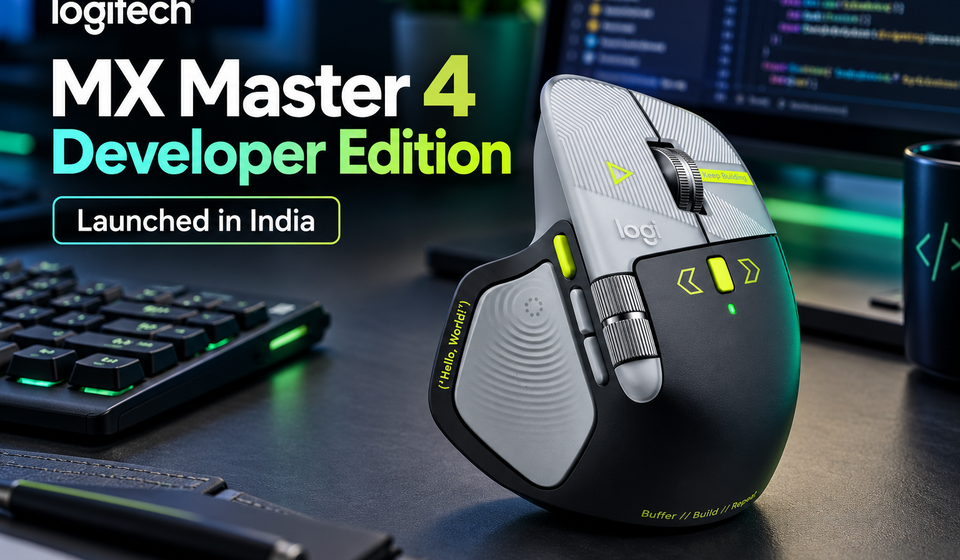
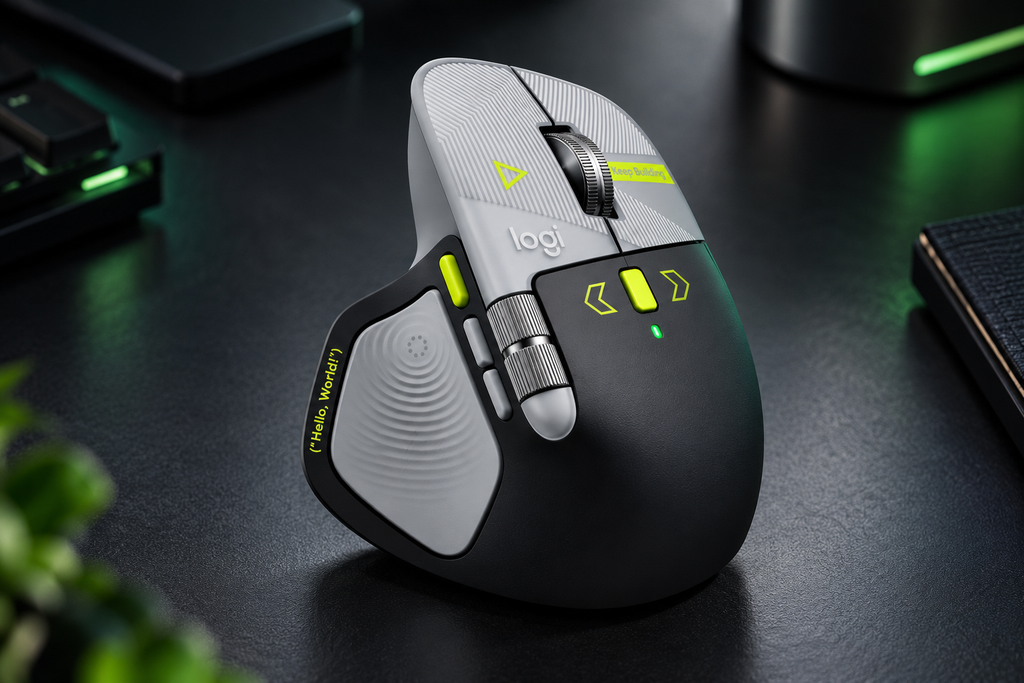
Logitech has launched the MX Master 4 Developer Edition in India, introducing a limited-edition version of its premium productivity mouse with a design inspired by programming, software development and AI-assisted coding. It retains the main features of the standard MX Master 4, including customisable haptic feedback, the MagSpeed scroll wheel and the Actions Ring shortcut system.
The biggest difference is its appearance: the matte-finish body features laser-etched coding symbols, circuit patterns and developer-themed details. Logitech has also highlighted a dedicated Actions Ring button for quickly accessing custom macros and preferred AI coding assistants.
The mouse is listed at an Indian launch price of ₹20,699, with availability through Amazon India while stocks last. Actual selling prices may be lower or change with offers.
Logitech MX Master 4 Developer Edition: Key Highlights
- India launch price: ₹20,699 listed price; retailer offers may vary.
- Limited-edition design: Matte finish with coding symbols, syntax annotations and circuit patterns.
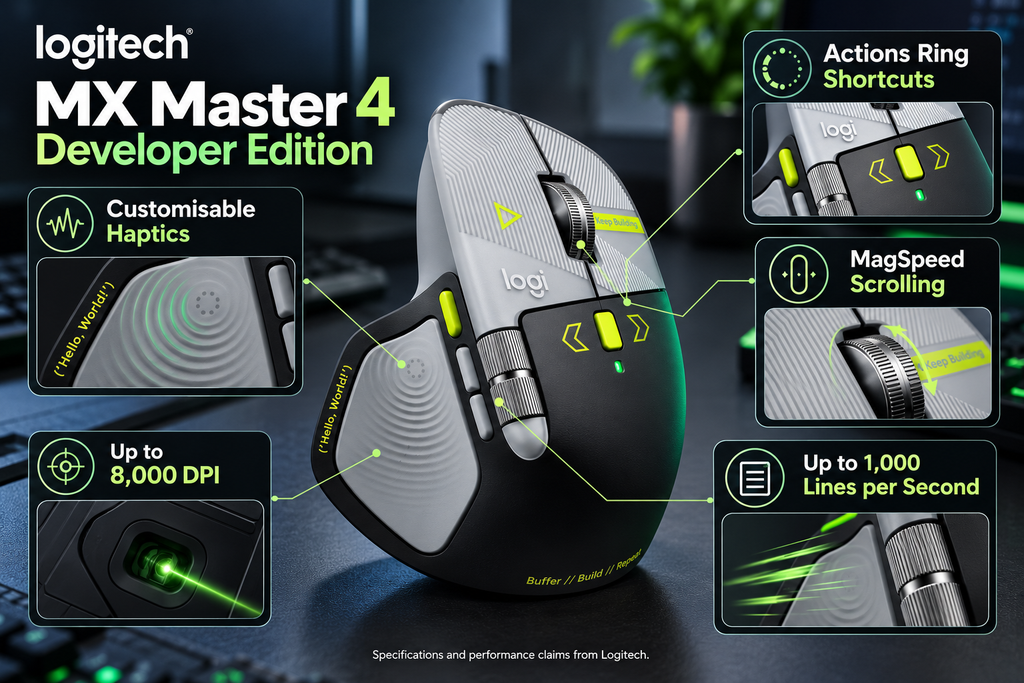
- Haptic feedback: Customisable tactile responses for supported interactions.
- Actions Ring: Quick access to custom shortcuts, macros and supported AI coding assistants.
- MagSpeed scroll wheel: Logitech claims scrolling speeds of up to 1,000 lines per second.
- Tracking sensor: Up to 8,000 DPI.
- Connectivity: Wireless connection through Bluetooth or the compatible USB dongle.
- Main difference from the standard MX Master 4: Primarily the developer-themed exterior; the core productivity features remain similar.
- Availability: Limited edition, available through Amazon India while stocks last.
1. A Mouse Designed for Developers
The MX Master 4 Developer Edition is Logitech’s tribute to software developers and the tools they use every day. Rather than introducing a completely new mouse design, Logitech has taken its existing MX Master 4 and added visual details inspired by terminals, source code and computing culture.
The matte-finish body features syntax annotations such as //, markup tags such as </>, circuit traces and a {Hello, World} execution prompt. These details give the mouse a distinctive appearance compared with the standard model.
Logitech has also included several hidden references:
0xFF + 1— a reference to World Programmers’ Day.09.17— a reference to the Linux kernel release date.!04.01— a reference to World Backup Day.
These details are primarily decorative. They do not add new computing capabilities, but they make the Developer Edition appealing to programmers who enjoy technology-themed hardware.
2. Haptic Feedback for More Tactile Control
One of the standard MX Master 4’s main features is customisable haptic feedback, which Logitech carries over to the Developer Edition.
Haptics provide small tactile responses during supported interactions. Depending on the software and configuration, this can help users recognise selections, navigate supported controls or move between parts of a workflow without relying entirely on visual feedback.
For developers working with large repositories or several terminal windows, these responses could make supported navigation actions feel more deliberate. Creative professionals may also appreciate haptic feedback when using compatible controls in design and editing applications.
However, the feature does not automatically understand every code repository or terminal. Its usefulness depends on supported software, configured actions and the way each user works.
The Developer Edition retains the same core haptic functionality as the standard MX Master 4. Buyers should therefore choose it for its special design rather than expect a major hardware upgrade in this area.
3. Actions Ring Button Adds Quick Access to Tools
The Developer Edition includes a dedicated Actions Ring button for quickly accessing supported shortcuts, macros and AI coding assistants. The Actions Ring is part of Logitech’s productivity software ecosystem and can be customised to suit different applications.
For example, a developer could configure shortcuts for frequently used tools or repetitive actions. A designer might prefer quick access to editing commands, while an office worker could use shortcuts for common productivity tasks.
The main benefit is reducing the need to move through menus or remember multiple keyboard combinations. Instead, users can access frequently used actions from a customisable on-screen interface.
There is one important distinction: the button does not mean that the mouse includes a new AI model or a separate AI subscription. It provides quick access to supported tools and assistants, depending on the software and configuration.
4. MagSpeed Scroll Wheel Can Scroll Up to 1,000 Lines per Second
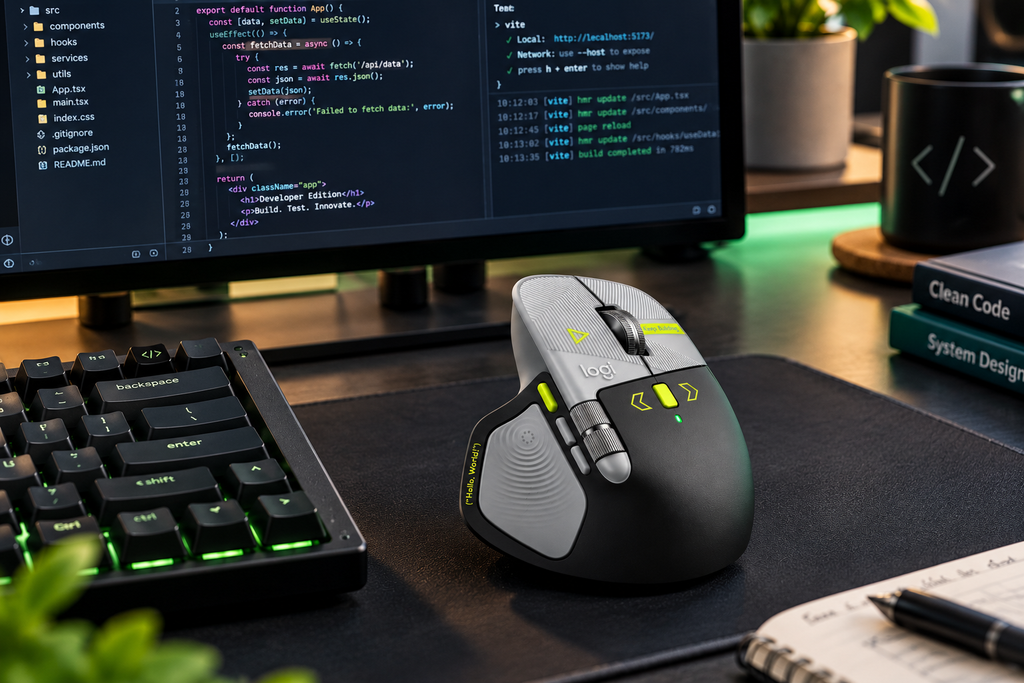
The MX Master 4 Developer Edition retains Logitech’s MagSpeed electromagnetic scroll wheel, which can switch between controlled scrolling and rapid movement through long pages. Logitech says it can scroll up to 1,000 lines per second.
This feature can be useful for people who regularly navigate long code files, documentation, spreadsheets or lengthy web pages. The mouse also has a thumb wheel for horizontal scrolling, which can help with wide spreadsheets and editing timelines.
Logitech describes the scrolling system as its fastest, quietest and most precise. The company also claims the MX Master 4 delivers a tactile feel with 90% less noise compared with the MX Master 3S. These are manufacturer claims, not independent test results.
The practical benefit is straightforward: fast scrolling helps users move through long documents, while more controlled movement makes it easier to stop near the section they need.
5. 8,000 DPI Sensor and Wireless Connectivity
The MX Master 4 Developer Edition uses an 8,000 DPI tracking sensor designed for smooth, accurate cursor movement. It is intended for productivity and creative work rather than competitive gaming.
Logitech also says the MX Master 4 uses a high-performance chip and optimised antenna design to deliver twice the connectivity strength compared with previous models. Wireless pairing is supported through Bluetooth or a compatible USB dongle.
This can be useful for people who move between a laptop and desktop or work in environments with several wireless devices. The MX Master family also supports multi-device workflows, although available features can depend on the connected operating system and Logitech software.
Before buying, check the included receiver type and compatibility with your computer. USB-C ports, Bluetooth support and access to Logitech’s configuration software may differ between devices and operating systems.
6. Logitech MX Master 4 Developer Edition vs Standard MX Master 4
The most important thing to understand is that the Developer Edition is primarily a design-focused special edition, not a completely new generation of mouse.
| Feature | MX Master 4 Developer Edition | Standard MX Master 4 |
|---|---|---|
| Design | Developer-themed matte finish and laser-etched details | Standard finish and colour options |
| Haptic feedback | Customisable | Customisable |
| Actions Ring | Supported | Supported |
| MagSpeed scrolling | Up to 1,000 lines per second, according to Logitech | Same core scrolling feature |
| Sensor | Up to 8,000 DPI | Up to 8,000 DPI |
| Main appeal | Limited-edition coding aesthetic | Everyday productivity and versatility |
If you already own the standard MX Master 4, upgrading solely for the Developer Edition’s performance is difficult to justify. The main attraction is the special exterior and its programming-themed details.
For someone buying their first premium productivity mouse, the decision is simpler: compare the current prices of both versions and decide whether the limited-edition design is worth any extra cost.
7. Price in India and Availability
Logitech has launched the MX Master 4 Developer Edition in India at a listed price of ₹20,699. It is being sold as a limited-edition product through Amazon India while stocks last.
However, the listed price is not necessarily the amount every buyer will pay. Retailer listings can show discounts, and the available price may change over time. One third-party report recorded a lower Amazon selling price than the stated launch price, so check the current listing before ordering.
Logitech’s global product page lists the Developer Edition at $119.99 in the United States, with shipping starting October 31, 2026. Regional prices and availability can differ.
Because this is a limited edition, availability may depend on remaining stock. Buyers interested in the design should verify the seller, final checkout price, return policy and warranty terms before purchasing.
8. Should You Buy the MX Master 4 Developer Edition?
The Developer Edition makes the most sense for users who want the standard MX Master 4’s productivity features in a more distinctive design.
Consider buying it if:
- You are a developer who appreciates coding-inspired hardware.
- You frequently use custom shortcuts, macros or supported AI coding assistants.
- You need precise scrolling for code, documents or spreadsheets.
- You want customisable haptic feedback in supported workflows.
- You value the limited-edition finish enough to pay the current price.
Consider the standard MX Master 4 if:
- You care more about functionality than appearance.
- The standard model is significantly cheaper.
- You already own an MX Master 4 and do not need another mouse.
- You want a productivity mouse but do not specifically like the coding-themed design.
For most buyers, the standard MX Master 4 should remain the value-focused option if it offers the same core features for less. The Developer Edition is better understood as a special design for people who enjoy programming culture.
Conclusion
The Logitech MX Master 4 Developer Edition brings a coding-inspired design to Logitech’s premium productivity mouse. Its laser-etched programming symbols, circuit patterns and hidden developer references make it stand out, while customisable haptics, the Actions Ring and MagSpeed scrolling preserve the standard MX Master 4’s main strengths.
At a listed Indian price of ₹20,699, the special edition is expensive for a mouse. Developers who love its design may find it appealing, but buyers focused on value should compare it with the standard MX Master 4 and check current discounts before purchasing.
Ultimately, the Developer Edition is more about personal style and developer identity than a major performance upgrade.
Frequently Asked Questions
1. What is the Logitech MX Master 4 Developer Edition?
It is a limited-edition version of Logitech’s MX Master 4 productivity mouse, featuring programming-inspired laser etchings and the same core productivity features as the standard model.
2. What is its price in India?
Its listed launch price is ₹20,699. Retailer discounts may change the actual selling price.
3. Where can I buy the Developer Edition in India?
It is available through Amazon India while stocks last. Check the current listing and seller details before ordering.
4. Is it better than the standard MX Master 4?
It is not a major performance upgrade over the standard model. Its primary difference is the developer-themed finish, while the core haptic feedback, Actions Ring and scrolling features remain similar.
5. Does the Actions Ring work with AI coding assistants?
The Actions Ring can provide shortcuts to supported AI coding assistants and other configured tools. Availability depends on the assistant, software configuration and operating system.
6. How fast can its scroll wheel go?
Logitech says the MagSpeed scroll wheel can scroll at up to 1,000 lines per second. Actual results depend on the content and settings.
7. Is it worth upgrading from the MX Master 4?
If you already own the standard MX Master 4, upgrading solely for the Developer Edition is difficult to justify. The main reason to switch is the limited-edition design.
Suggestions
- Amazon Bee AI Devices: 5 Exciting Features Revealed
- Noise 20000mAh 65W Power Bank: 5 Powerful Features
- OPPO 22.5W Power Bank: 7 Powerful Features
- Xiaomi UltraThin Magnetic Power Bank 5000:7 Amazing Features
Source
- Logitech Blog — MX Master 4 Developer Edition
- Logitech — MX Master 4 Developer Edition product page
- Logitech Newsroom — Standard MX Master 4